
27/05/2026
Panoee GSV Editor 2.0
Revamped GSV editor experience
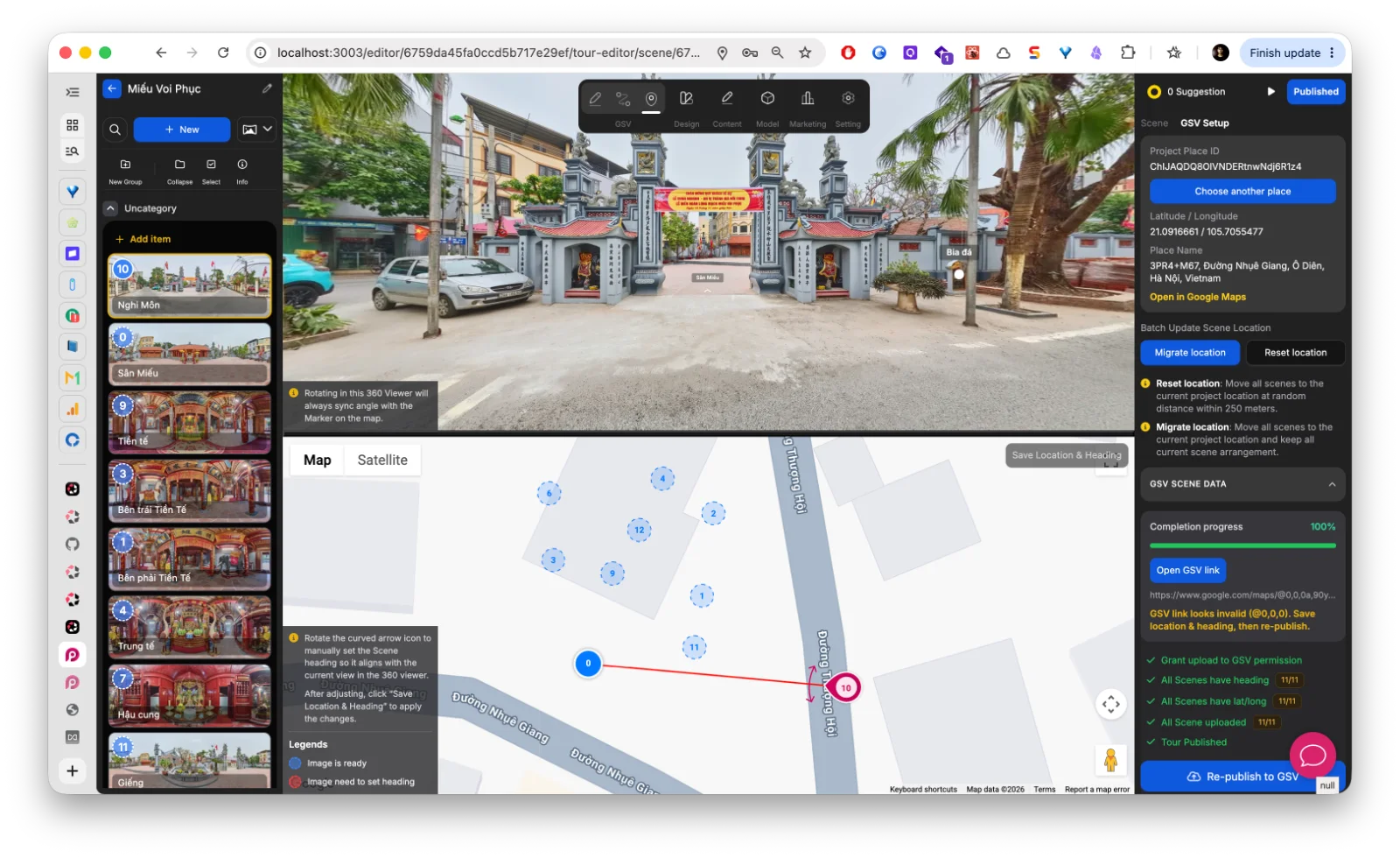
Redesigned the entire Google Street View publishing workflow with a cleaner and more focused editor experience.
The new GSV editor adopts Panoee’s visual connection-based workflow, making scene linking and navigation management more intuitive and easier to understand.
Updates include:
-
Cleaner UI focused only on GSV-related actions
-
Improved layout and spacing across the editor
-
Better balance between the 360 viewer and map viewer for large workspace editing
-
Reorganized right sidebar for scene and tour management tools
-
Added contextual guidance and helper text throughout the workflow
-
More visual and intuitive scene connection management inspired by Panoee hotspot editing
Resizable split view
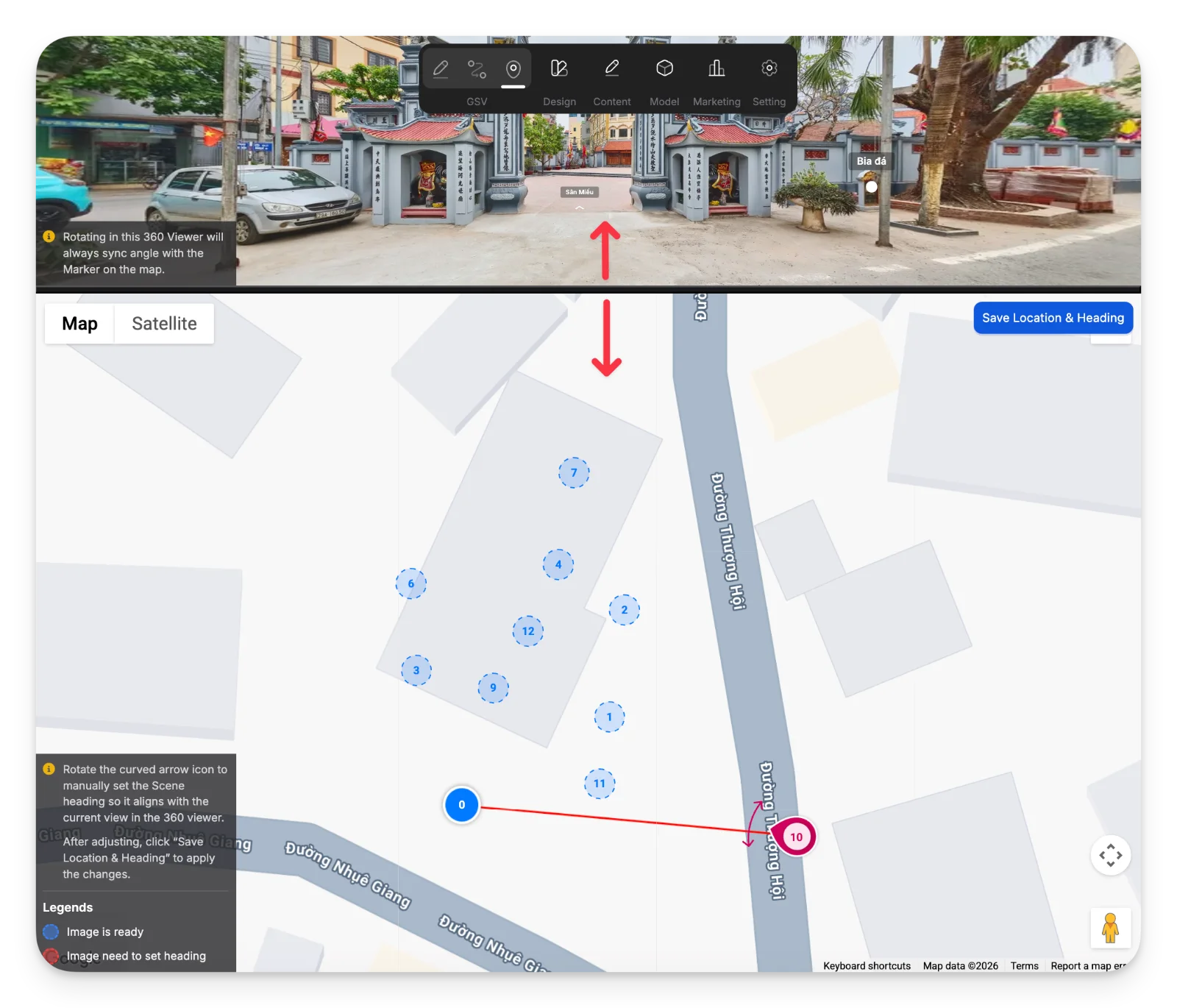
The GSV editor now supports resizable split panels between the 360 viewer and map viewer.
Users can freely adjust the workspace layout to focus on scene positioning, heading alignment, or panorama previewing depending on the current task.
Improved Google Place management
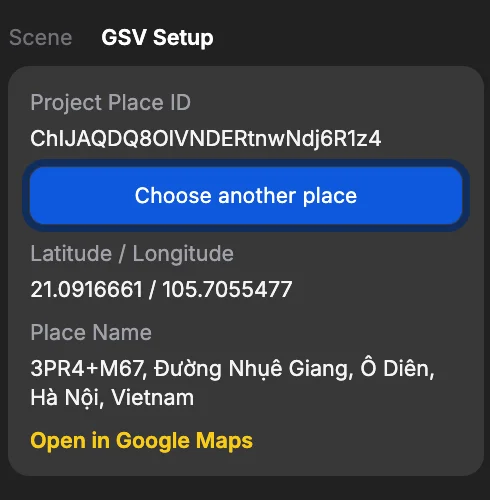
The GSV editor now displays more complete Google Place information, including Place ID, coordinates, and full location details.
You can also quickly switch and reassign a different Google Place directly from the editor when needed.
Batch scene relocation tools
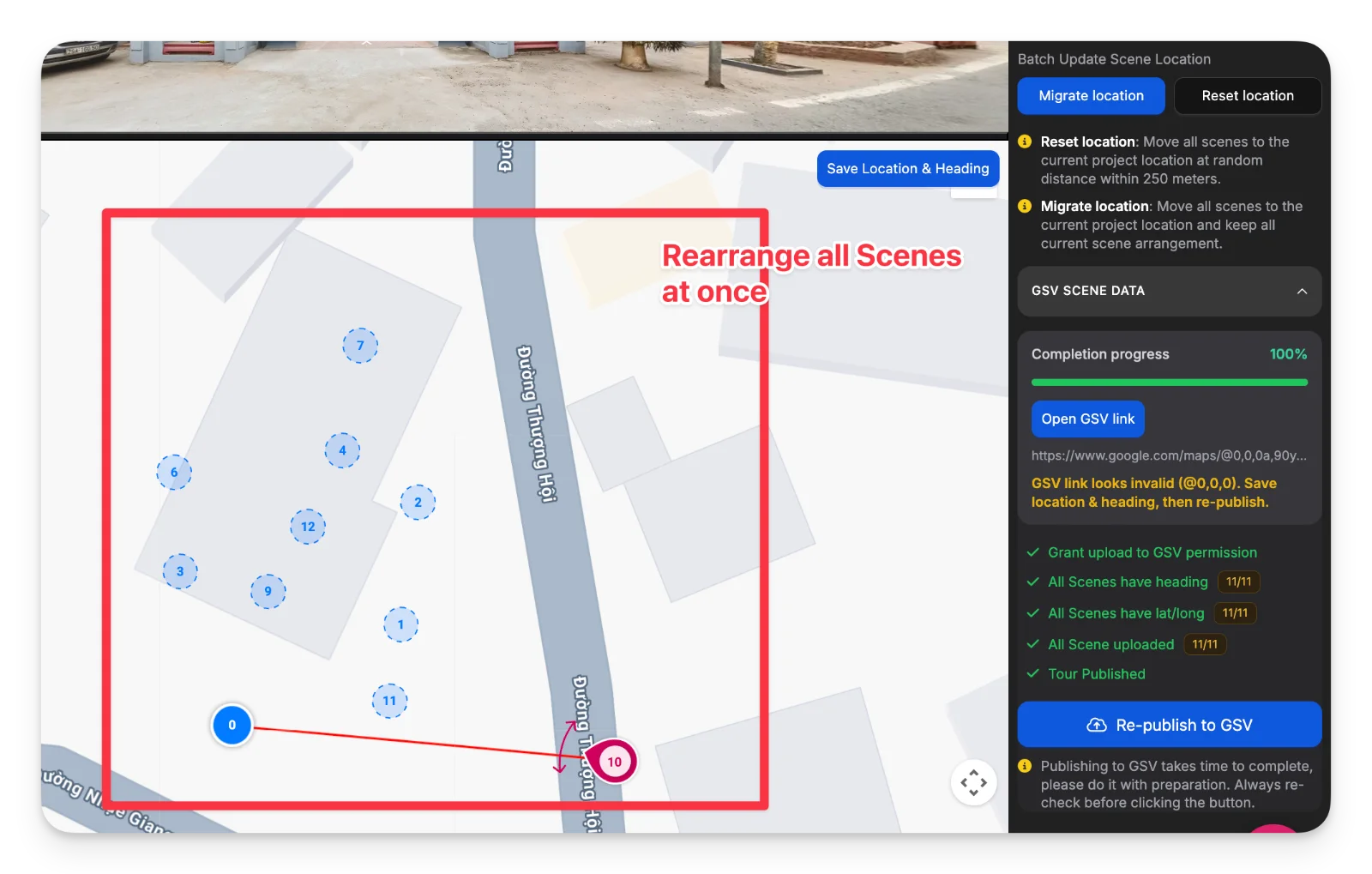
Added batch location tools for quickly repositioning all scenes based on the currently selected Google Place.
New options include:
-
Reset location — randomly reposition all scenes around the selected place within a defined radius
-
Migrate location — move all scenes to the new place while preserving the current scene arrangement and relative positioning
These tools make large-scale GSV scene management much faster when changing project locations or reorganizing tours.
GSV scene data table
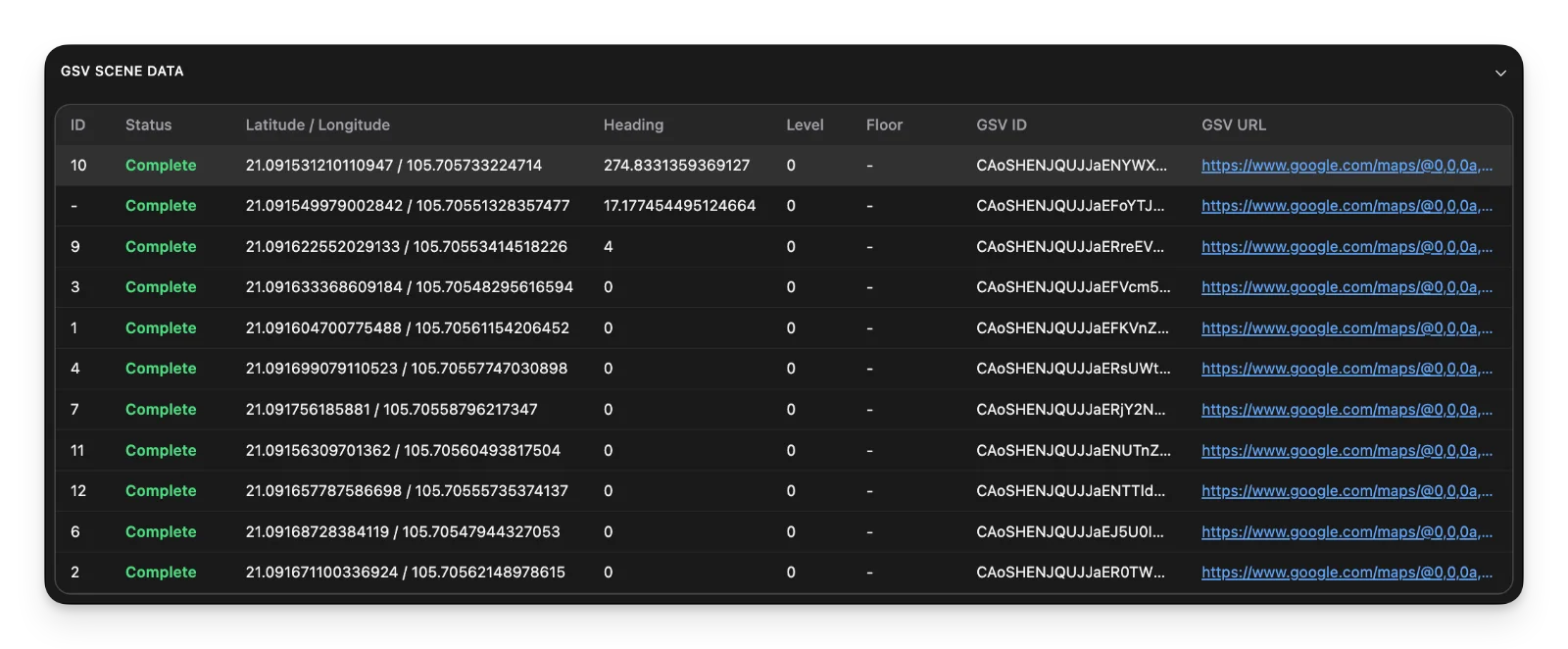
Added a dedicated GSV data table to provide a complete overview of all scenes and their synchronization status with Google Street View.
The table helps users quickly identify missing or incomplete data such as latitude/longitude, heading, level, or floor information before publishing.
For published scenes, Panoee now displays the GSV ID and direct GSV URL, allowing users to instantly open and verify published panoramas on Google Street View.
This significantly improves large tour management and saves time when reviewing publishing status across many scenes.
Improved GSV publishing summary
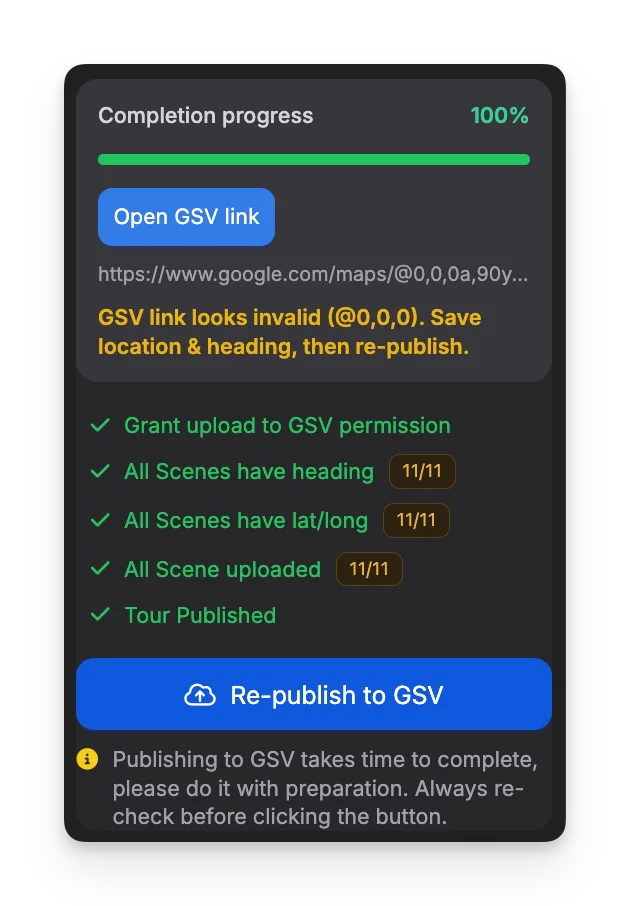
Redesigned the publishing summary panel to provide a clearer overview of the entire GSV publishing status.
The new summary includes:
-
Overall completion progress
-
Direct GSV tour link access
-
Publishing notices and validation warnings
-
A checklist-style task status overview for required publishing steps
This makes it easier to review publishing readiness, identify missing setup items, and manage large GSV tours more efficiently before re-publishing.
GSV scene data panel
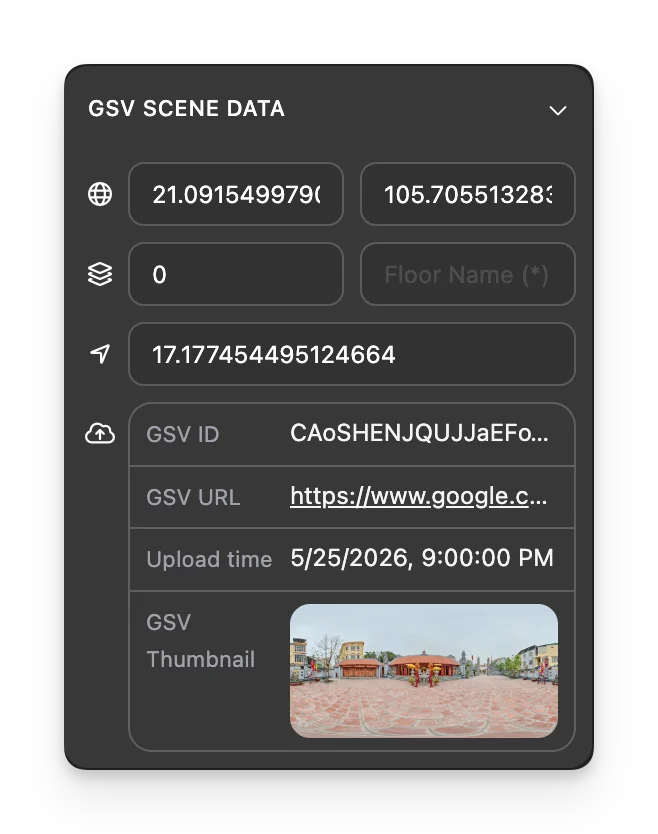
Added a dedicated GSV scene data panel for managing all Google Street View metadata at the scene level.
Users can now directly update required GSV fields such as latitude, longitude, heading, level, and floor information from a single place.
When a scene has already been published, Panoee also syncs and displays live GSV data including:
-
GSV ID
-
Published GSV URL
-
Upload timestamp
-
GSV thumbnail preview
This makes it much easier to manage publishing data, verify synchronization status, and inspect published scenes directly inside the editor.
Auto arrange GSV scenes from hotspot connections
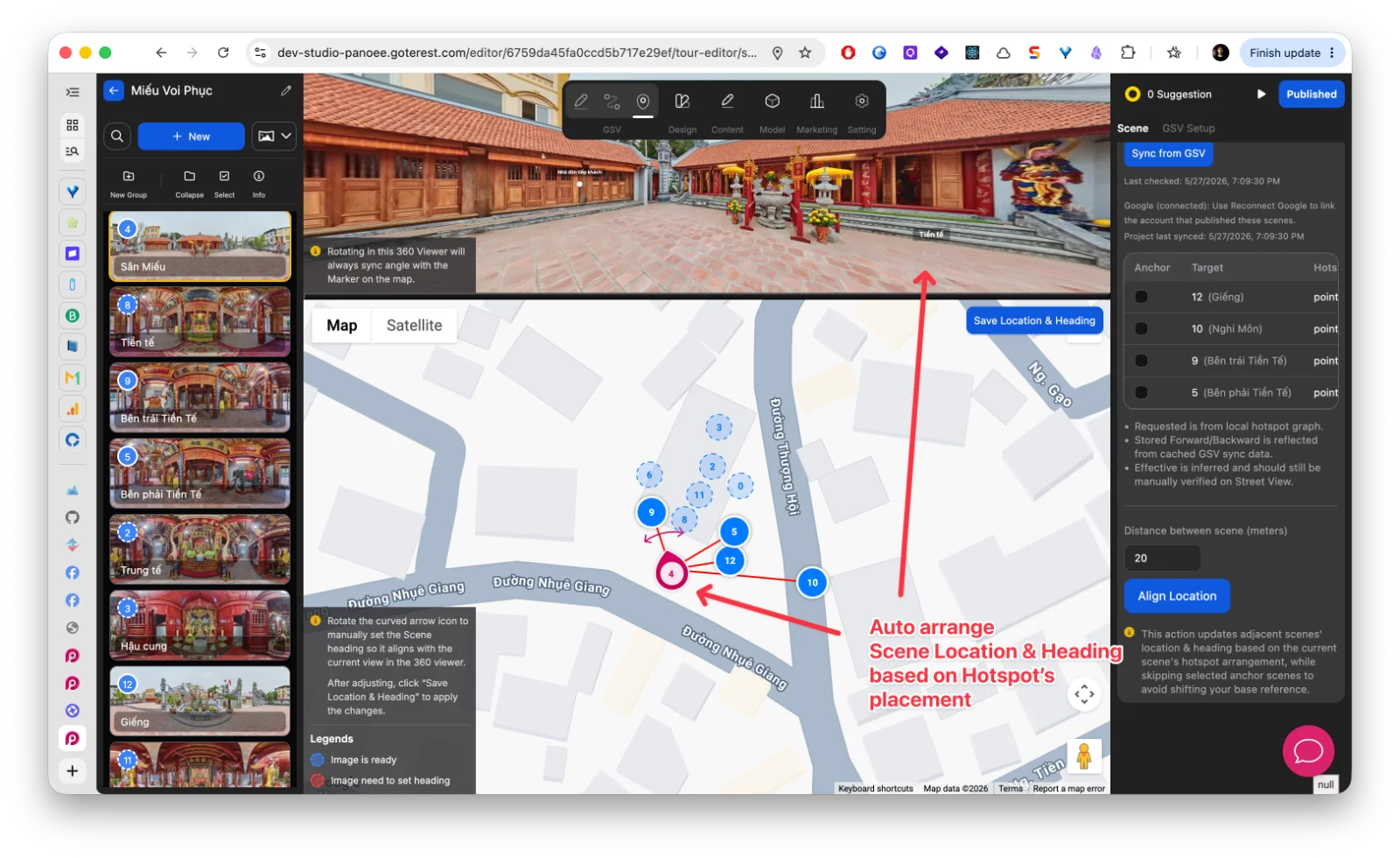
Introduced a powerful new GSV alignment tool inspired by Panoee’s visual hotspot workflow.
Instead of manually dragging scenes on the map, Panoee can now automatically arrange nearby scene locations and headings based on existing hotspot placements with a single click.
Features include:
-
Auto-generate both scene position and heading
-
Uses hotspot direction and connection graph for highly accurate alignment
-
Adjustable scene spacing through distance input
-
Anchor selection to control which scenes remain fixed during rearrangement
-
Significantly reduces manual map editing for large GSV tours
This workflow brings Panoee’s intuitive hotspot-based navigation system directly into Google Street View publishing.
GSV connection diagnostics
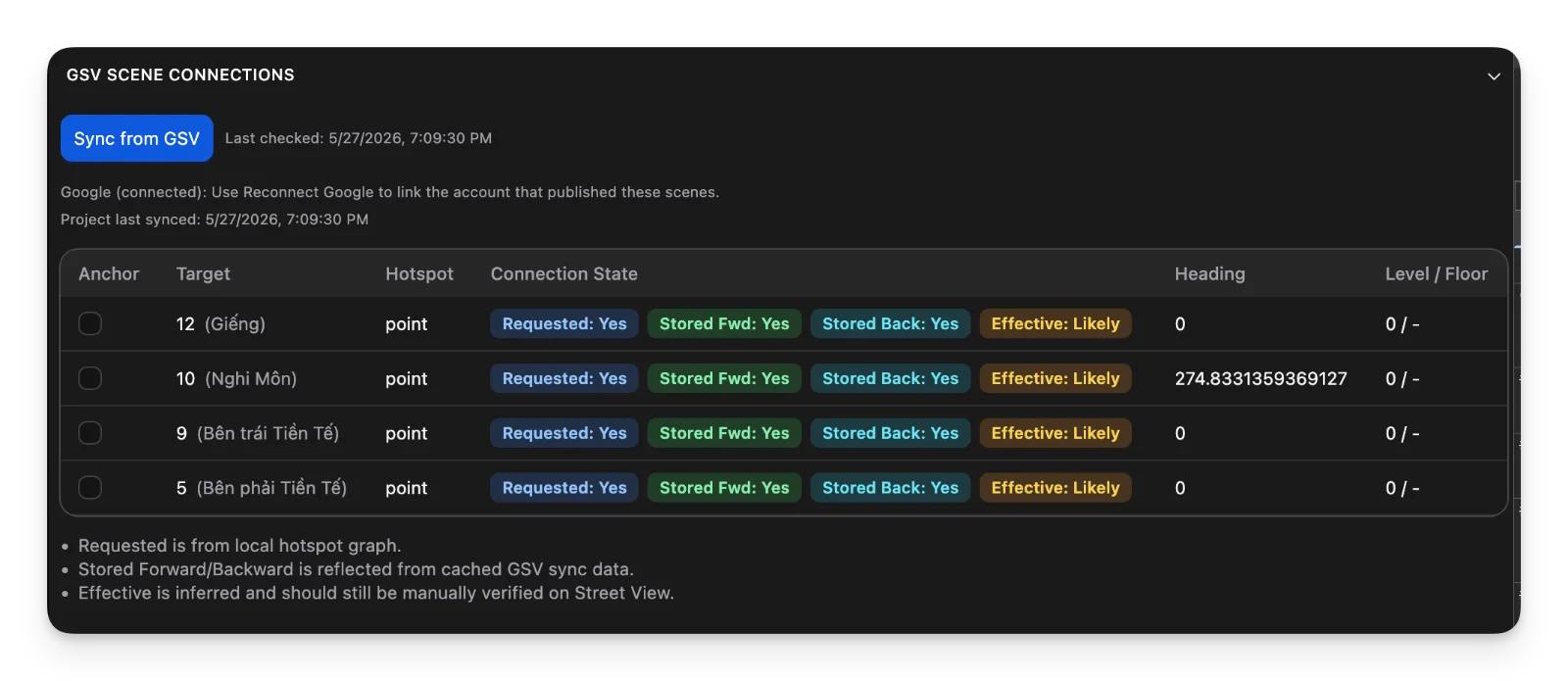
Added a dedicated GSV connections table to inspect and verify scene connection status synced from Google Street View.
The table maps local Panoee hotspots against actual GSV connection data, helping users troubleshoot missing or inconsistent navigation arrows between scenes.
Features include:
-
Compare hotspot requests with synced GSV connections
-
Inspect both forward and backward connection states
-
View inferred “effective” connection status based on real GSV sync data
-
Anchor selection support for advanced alignment workflows
-
Faster debugging for large and complex GSV tours
Because Google Street View does not officially guarantee arrow visibility even when forward/backward connections exist, Panoee also provides a “Likely” effective state based on real-world publishing behavior and practical testing experience.
Dedicated GSV publishing dialog
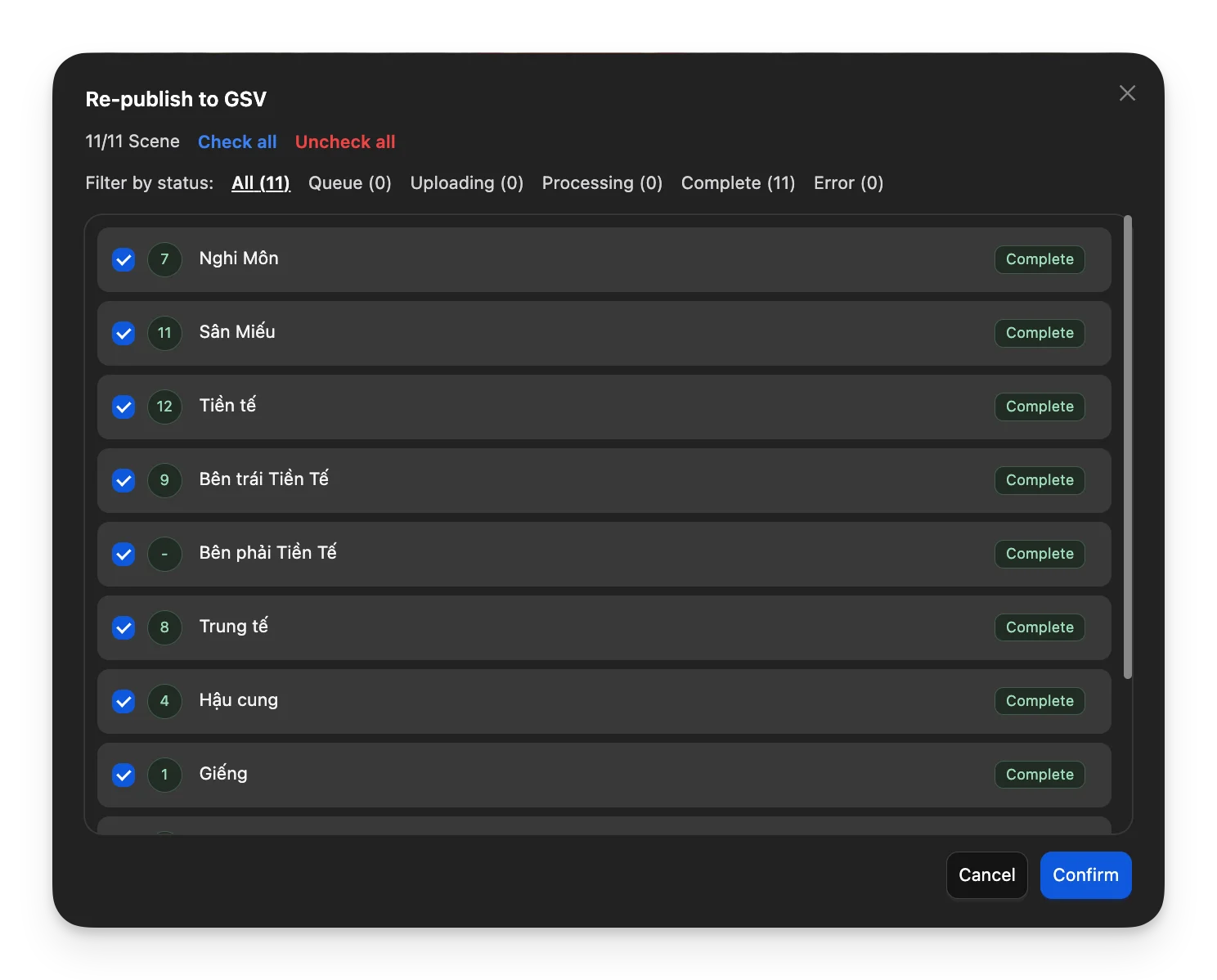
Added a dedicated publishing dialog for managing selective scene publishing to Google Street View.
Instead of blindly re-publishing the entire tour, users can now choose exactly which scenes should be published or updated. This helps reduce unnecessary publish requests and improves overall publishing efficiency.
Features include:
-
Selective scene publishing
-
Check all / uncheck all actions
-
Filter scenes by publishing status
-
Queue, uploading, processing, complete, and error state tracking
-
Faster workflow for updating large tours incrementally
This workflow gives users more control over GSV publishing while helping avoid excessive full-tour publish operations.