Share your feedback and suggestions for product improvements and workflows.
Backlog
14
comercial@foxcgi.com.br
18:04:54 31/7/2026
I saw that someone has already requested the option to adjust the zoom globally, which is great. However, I feel there is a need for an option to configure the zoom specifically for mobile devices, independent of the web version. I notice that mobile navigation isn't very smooth due to the screen size. It would be fantastic to have an option to reduce the zoom only for mobile, automatically scaling the images to match that zoom level. Option to customize zoom for mobile devices.
Request for VR Mode Features and Improvements We would need a more comprehensive VR mode that supports elements such as image hotspots, Lottie animations, and callouts, ensuring they function properly in virtual reality alongside video playback and other interactive features. I developed a fully animated and detailed virtual tour for the web, but to my surprise, when switching to VR mode, these features did not work—and the tutorials/documentation indicate that enabling VR navigation requires restricting hotspots to the standard image type. I also noticed that interaction in VR mode requires using the controller triggers, without the option for gaze based selection (gaze control / fixed point in the center of the screen), as seen in other 360 tour creation platforms. It is essential that navigation supports both interaction methods.
comercial@foxcgi.com.br
19:23:01 28/6/2026
I have reported this issue several times regarding the Set Target View function. In some cases, it does not work correctly when using a VR headset. I'm posting it here once again in the hope of finally receiving a response. Here is one of my tours as an example: [https://tour.panoee.net/testesneo](https://tour.panoee.net/testesneo) In this tour, all target view positions have already been configured. When navigating on the web, each view points exactly to the position I set. However, when using a VR headset—specifically the Meta Quest 3, which is the device I tested—the view for Camera 02, immediately after entering the building, turns toward the center of the wall instead of the configured direction. When returning outside, the view also turns to the side instead of pointing to the position I defined. I have tested this in more than one VR browser. I also changed both the image north orientation and the image center, but none of these changes corrected the issue. I also tested the exact same tour in 3DVista, where VR worked correctly and always pointed to the target views exactly as configured. I believe this is important to mention because it rules out any issues related to the image center, browser, or north orientation settings. If you would like to test using the same panorama images, they are available here: [https://foxcgi.fromsmash.com/testespanoee](https://foxcgi.fromsmash.com/testespanoee) I need a response regarding this issue. My VR clients do not accept this behavior, as it significantly affects the user experience. I look forward to your response. Best regards, Leandro
comercial@foxcgi.com.br
20:45:01 26/6/2026
I'm reporting an issue: the " use last config " feature for hotspots isn't working—at least not the way it used to. Previously, after applying and saving the first hotspot, you could simply drag out the subsequent ones, and they would automatically adopt the same formatting. Since the recent visible changes to the additional settings were implemented, this feature has stopped working. Is there a way to re enable it?
gk16blman@gmail.com
14:27:26 12/6/2026
Hello! I have found working in Panoee a mixed bag so far, in creating walkthrough's of our business. Our business account is under a different email address. I might be missing something, but there are standard operations that computer users are accustomed to, especially those of us that use programs like Davinci Resolve, and the Adobe suite that really need to be incorporated into the creation portion of the program. Such examples are selecting all the hot spot points on a page and copy/paste them to another page. This is highly annoying when you have 5 12 hot spots per page and you have to do this manually. Work to have stored preferences for icons that you can always grab instead of having to scroll through a list. Use all the computers fonts so that it matches our branding style. Even Canva can do this being an on line program. It freezes a lot, giving a grey screen that mentions it lost the graphics card. Web GL lost, refresh page. This is also annoying. It is fortunate that work is not lost, but I have a good NVidia graphics card in my laptop. But either its a setting? or a bug? not sure which. When you copy and paste hot spots, they should at least be the direction you are looking, not appearing "somewhere" on the scene you are working on. Or perhaps appear where your cursor is at. There is a lot button pushing to select/deselect items. Like copy/paste which should be everywhere in the program. It might be good to consider incorporating whips to drag to connect hot spots. A function to group and align them straight would be helpful too. An option should be to have a larger viewer when you have 80 100 scenes, and the images are all in the 360 format, to be able to see them accurately. Actually, an option would be nice to have another viewer for 2 screen computer set ups. It would be nice to upload Instan360 camera files and have them convert to JPEGS ready for an album on import, PLEASE, get rid of the question bot in the lower right hand corner with an option to turn it off! It cover the work area of the "go to scene" section of the work area and is also annoying. There needs to be more ways to sort the albums. On a MAC, you can rename folders easily with characters and numeration which you can choose. Without other Microsoft products, you cannot do this on the PC. However, in windows explorer, when I rename a folder of images, and it incorporates a number to each one. It sorts them properly. But in Panoee, like in SharePoint, the numbering is all character based. its not 1,2,3,4 etc, its 1,10,100, 101,102 etc. This is also very annoying. Plus, when you get the media into the project, they are further out of order. Out of all my suggestions for improvement. This tops the list as it is time consuming to reorder images. There should also be an easy way to exchange parts of projects. Say you have 2 projects in a similar area. You should be able to copy a scene from one project complete with the hotspots attached, into another project scene. Perhaps a mouse hovering on a hot spot could reveal where it is linked to. I know I seem to be very picky, but the operation thus far in the creation of walk throughs has been extra time consuming cumbersome. I used to author DVDs and interactive CDs back in the day. And this reminds me of many of the programs I used to do that with. Overall, it is amazing that things work as well as they do. And thank you for being there to have consumers have the ability to utilize this type of technology! Greg Kubitschek Lincoln NE, USA
vohuy9044@gmail.com
22:18:46 8/6/2026
I am reaching out regarding a critical issue with the "Full Export" feature. I have purchased the Premium plan, but the exported virtual tour fails to function correctly when used offline. The Issues: 1. Hotspot Preview Box Failure: When hovering over hotspots, the preview box appears black/broken. The browser console and server logs show a 404 or redirect to index.html error when the system attempts to fetch images via / next/image?url=... . It seems the exported build is still trying to access a Next.js image optimization API that does not exist in an offline/static server environment. 2. Missing Assets Offline: When disconnected from the internet, the tour fails to load essential UI icons and assets, despite having performed a "Full Export". It appears the export package is not truly "offline ready" and still relies on external server calls for assets. Environment: Export Type: Full Export (Premium) Server Environment: Tested on Mongoose and Laragon (Localhost) Behavior: The tour works online but breaks immediately when offline or when using a local static server. Evidence: Please find the attached screenshot showing the Network tab error: The system is attempting to load image?url=... but receiving text/html (redirect) instead of image data. I have also attached a screenshot showing the missing icons and the broken preview box when hovering over the hotspot. I am preparing this project for my graduation thesis presentation and require a fully functional offline version. Could you please provide a fix, a patched tour.js file, or instructions on how to force the export to read local static assets directly without calling the / next/image API? Looking forward to your prompt assistance.
carlp778@gmail.com
08:25:53 28/5/2026
It's great you have no many icons and fonts but there are so many that scrolling through hundreds of them in time consuming. Is there any way of favouriting just a selection so I can get to them quickly. For example, when I use a 'photo' hotspot and look for another icon I can replace it but getting back to the original icon is difficult if I don't know what it is called.
carlp778@gmail.com
14:38:57 27/5/2026
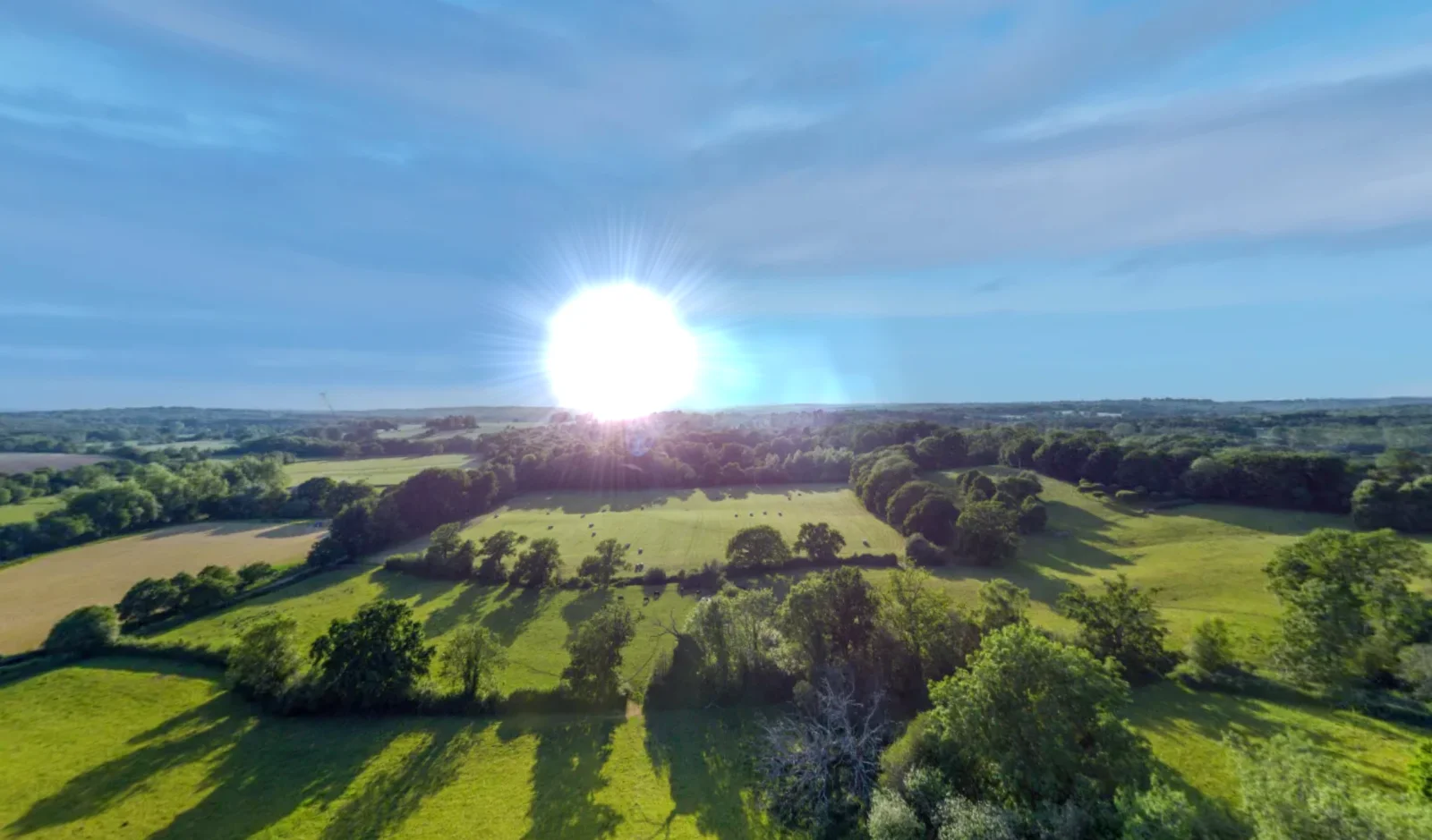
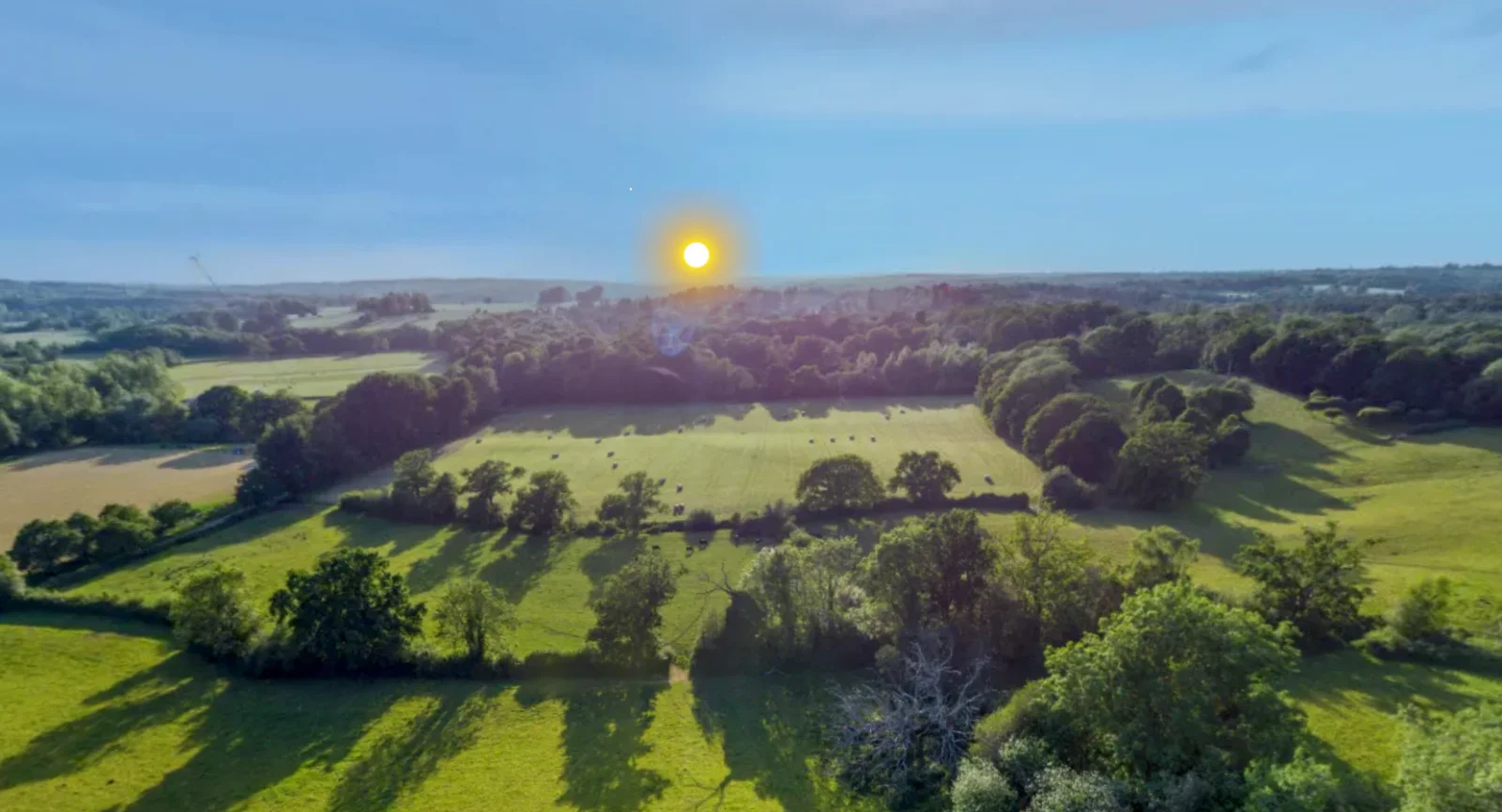
I'm having issues with the sun hotspot. There is no preview in edit mode and when publish it then is super bright. I can't see any way of adjusting it to make it less bright. Any ideas?
studiocamera@gmail.com
07:24:23 25/5/2026
They set up "Folio" the signs turned black from white. In the "Call to Action" the icons appear larger than normal.
carlp778@gmail.com
14:41:04 19/5/2026
Because I'm still with Kuula I do like he way they incoporate their home icon in the bottom left (see photo above). It is big and people can easily navigate back to the home screen. Not only that but you can change the icon to be a map, drone etc so very helpful. Can you do someting similar?
carlp778@gmail.com
13:34:11 19/5/2026
Is there any chance we can have a better home screen option in the design pages. At the moment with the design I have the home button is on the top right but it is quite small and it can sometimes be lost depending upon the image behind it. It would be nice to be able to put it bottom left or right and make it bigger and bolder. sometimes my customers can't find it or see it.
info@mentefresca.com
12:51:16 15/5/2026
I think that will be nice to have parametrize vertical and horizzontal dimension of iframe i i want link an external source
studiocamera@gmail.com
09:06:47 14/5/2026
In the "transitioning" option of hotspots, it would be good to add the "zoom in to zoom in".
studiocamera@gmail.com
08:59:57 14/5/2026
In the "transitioning" option of hotspots, it would be good to add the <zoom in to zoom in transition.
I wanted to report a few bugs on my brighton tour that starts with a static image (see link above) Firstly there are black bars either side and I'd like those gone. Also when you pan around the black background appears even more. You can't pinch and zoom to get closer to the hotspots on a computer (you can scroll but not pinch and zoom with your finger) but you can on the iphone version. But on my other camping 360 you can pinch and zoom. Can you look at these please. Pinch and zoom on 2d opening home page would be great. It would be great to know what size 2d image/photo i can create to get ride of the black sides and entire black background. thanks p.s. How can we get rid of the name of the tour at the top of every tour I create. Very annoying!
info@mentefresca.com
12:47:56 15/5/2026
It will be a killer and dreaming application having panoee tools on a motterport source....
Set default zoom and camera behavior globally across all scenes. Avoid distorted perspectives, maintain a consistent viewing experience, and save time by applying settings to the entire tour instead of configuring scenes one by one.
Complete
11
carlp778@gmail.com
09:33:43 28/5/2026
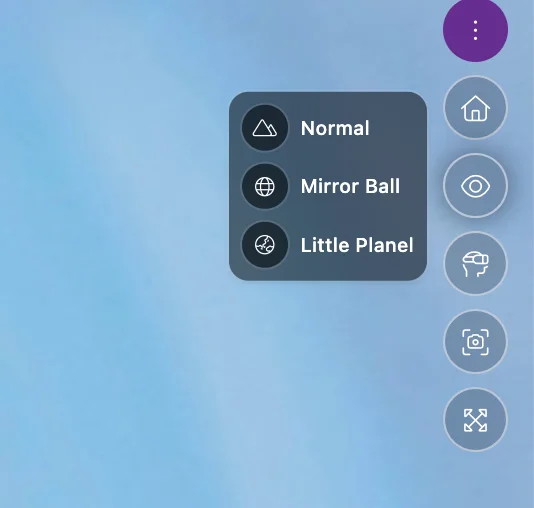
Is says 'Little Planel' and should say 'Little Planet' That should be pretty easy to fix.
carlp778@gmail.com
15:37:58 27/5/2026
I created a hot spot then went to design and changed the font and size. It didn't change it but when hovered over the hotspot it went a bit strange. See screenshots.
carlp778@gmail.com
15:29:42 27/5/2026
How do you get rid of the title. I thought you had fixed this but please tell me.
dev@proptek.in
17:05:58 15/5/2026
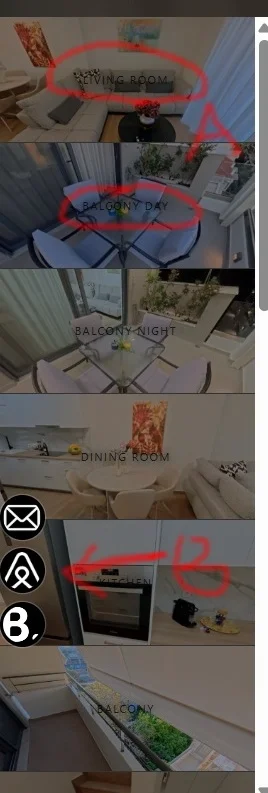
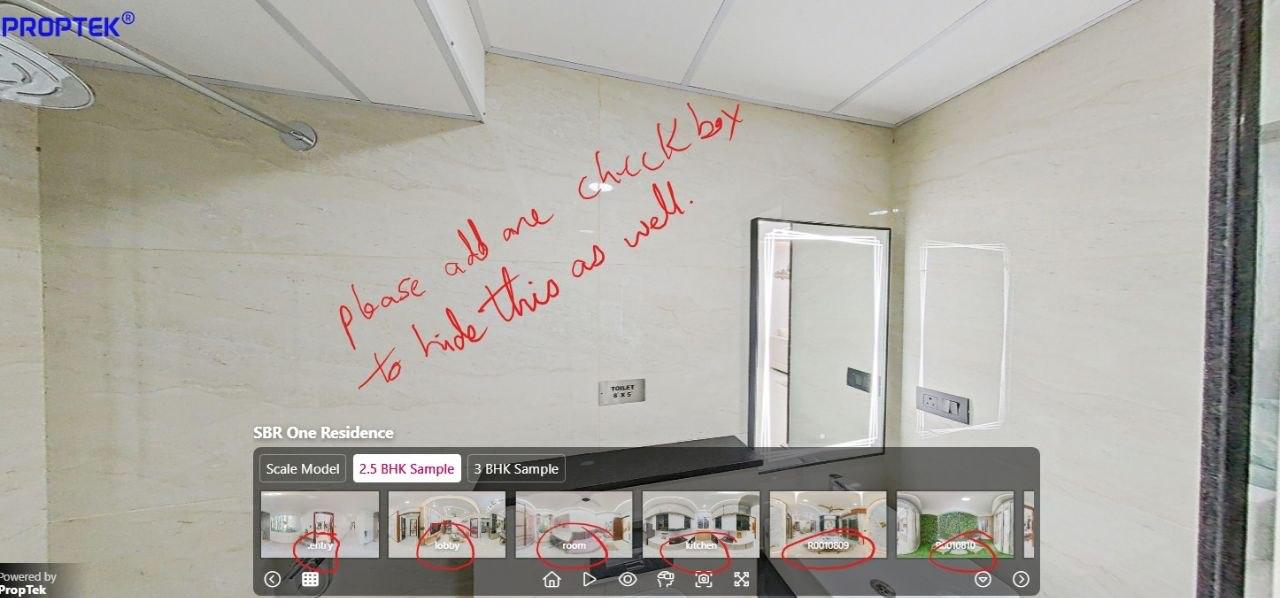
User feedback from dev@proptek.in: "In Base design, you have done a great job by hiding the Scene Title but you forget to hide the Media name. Please do this as well." Context from proof image: Tour appears to use the Base design for a Proptek project. Scene title is hidden as expected. Media names are still visible over thumbnail items in the bottom media/scene strip, e.g. labels like "Lobby", "room", "Kitchen", "Rooftop", "Balcony". User requests that media names should also be hidden in Base design, matching the hidden Scene Title behavior. Requested change: Update Base design so Media name labels are hidden as well, not only Scene Title.
carlp778@gmail.com
16:47:08 15/5/2026
User feedback from carlp778: "I don't because I can't do it. let me upload my clients logo and show you. I tried pop up but i want the logo or photo to stay on the screen all the time on the opening page not just once" Context from screenshot: User is working on a Brighton 360 tour that starts with a map illustration. They want to display a client logo/photo (example shown: VisitBrighton logo) persistently on the opening page/screen. Current workaround using a pop up only shows the logo once, which does not meet their need. Requested capability: allow a logo/photo overlay or pinned media element that stays visible continuously on the opening page, instead of behaving like a one time popup. Suggested product need: Add support for persistent opening screen branding/media overlays, or an option for popup/media hotspots to remain visible/pinned until manually dismissed or throughout the opening scene.
info@mentefresca.com
12:49:43 15/5/2026
I see you introduce hotspot save and recall in the same scene, but i don't see available from one scene to an other