
Export Project
Exporting a project in Panoee allows you to download the entire 360 virtual tour and host it on your own server. This is ideal for full control, custom domain deployment, and independence from the Panoee system.
What is Export in Panoee?
Export allows you to package and download the full virtual tour, including all assets and configurations, so you can deploy it on your own hosting infrastructure without relying on Panoee.
-
Self-hosting ready: Run the tour on your own server
-
Independent deployment: No dependency on Panoee after export
-
One-time activation: $19 per project
-
Unlimited exports: Once activated, export anytime
Steps
-
Open the Publish panel
Go to your project editor and click Publish to access publishing options.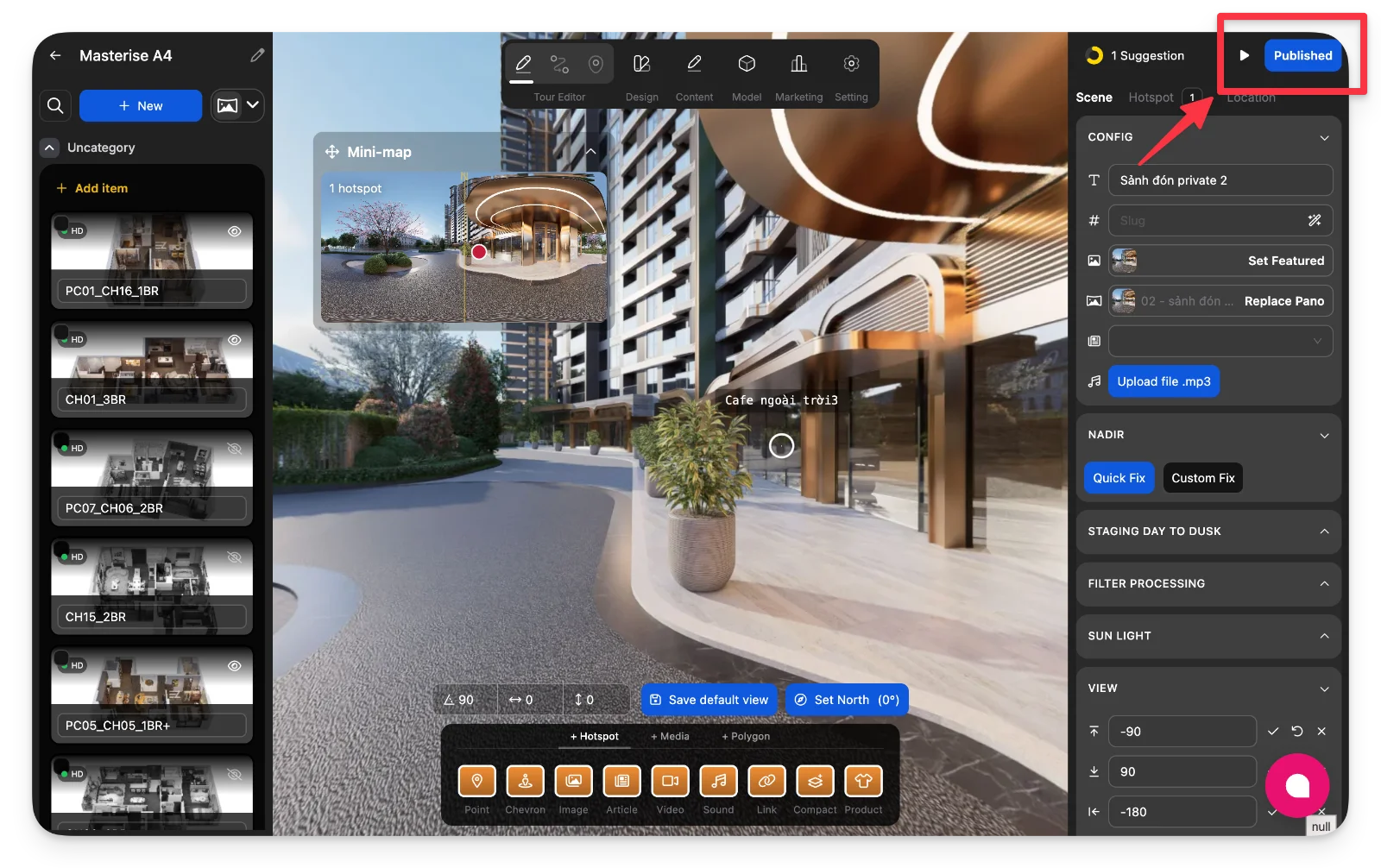
-
Scroll to the Export section
In the Publish panel, scroll down and expand the Export section.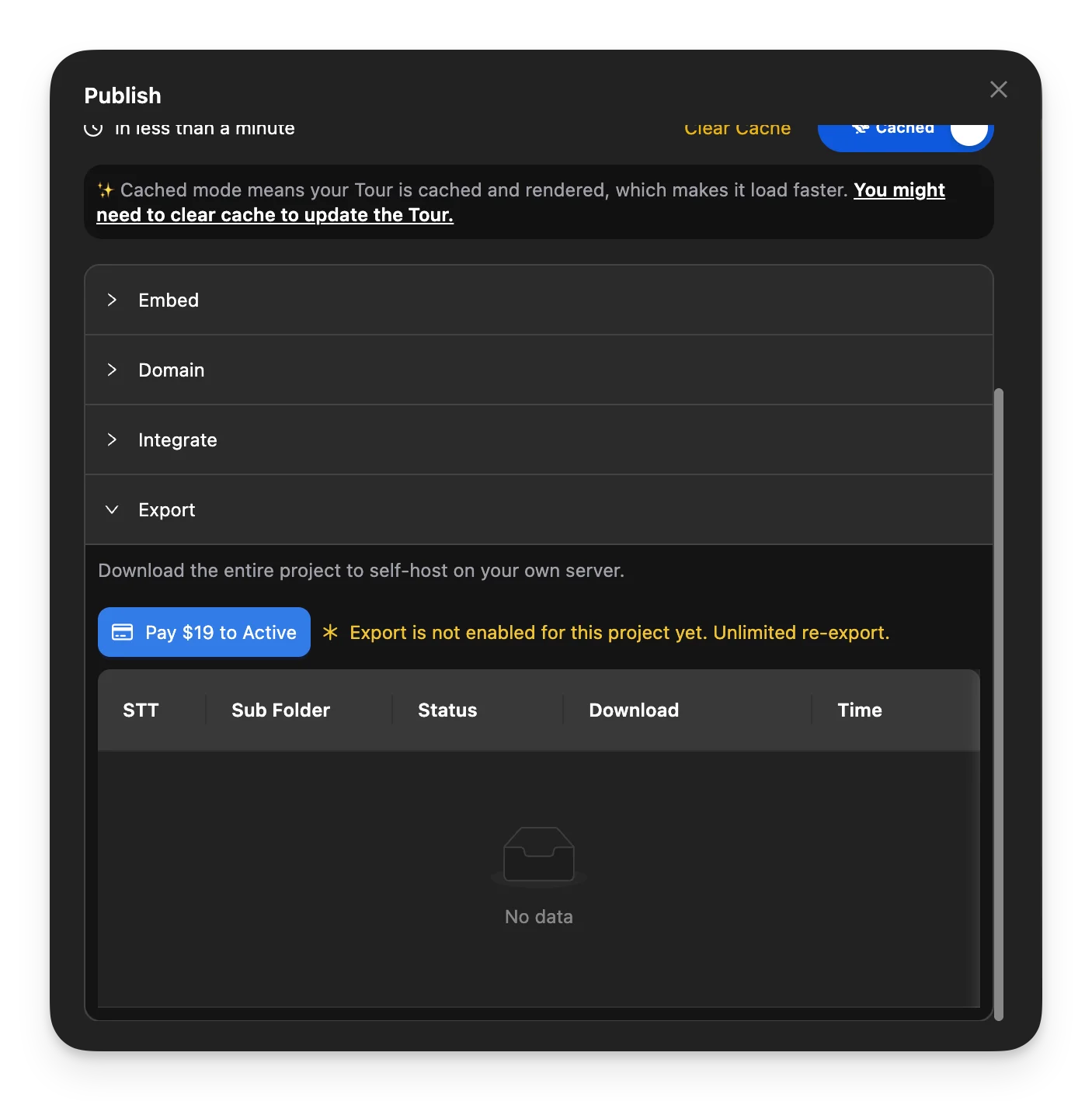
-
Activate the Export feature
Complete the $19 payment via Stripe to unlock Export for this project. -
Request a new export
Click Request Export to start creating an export package.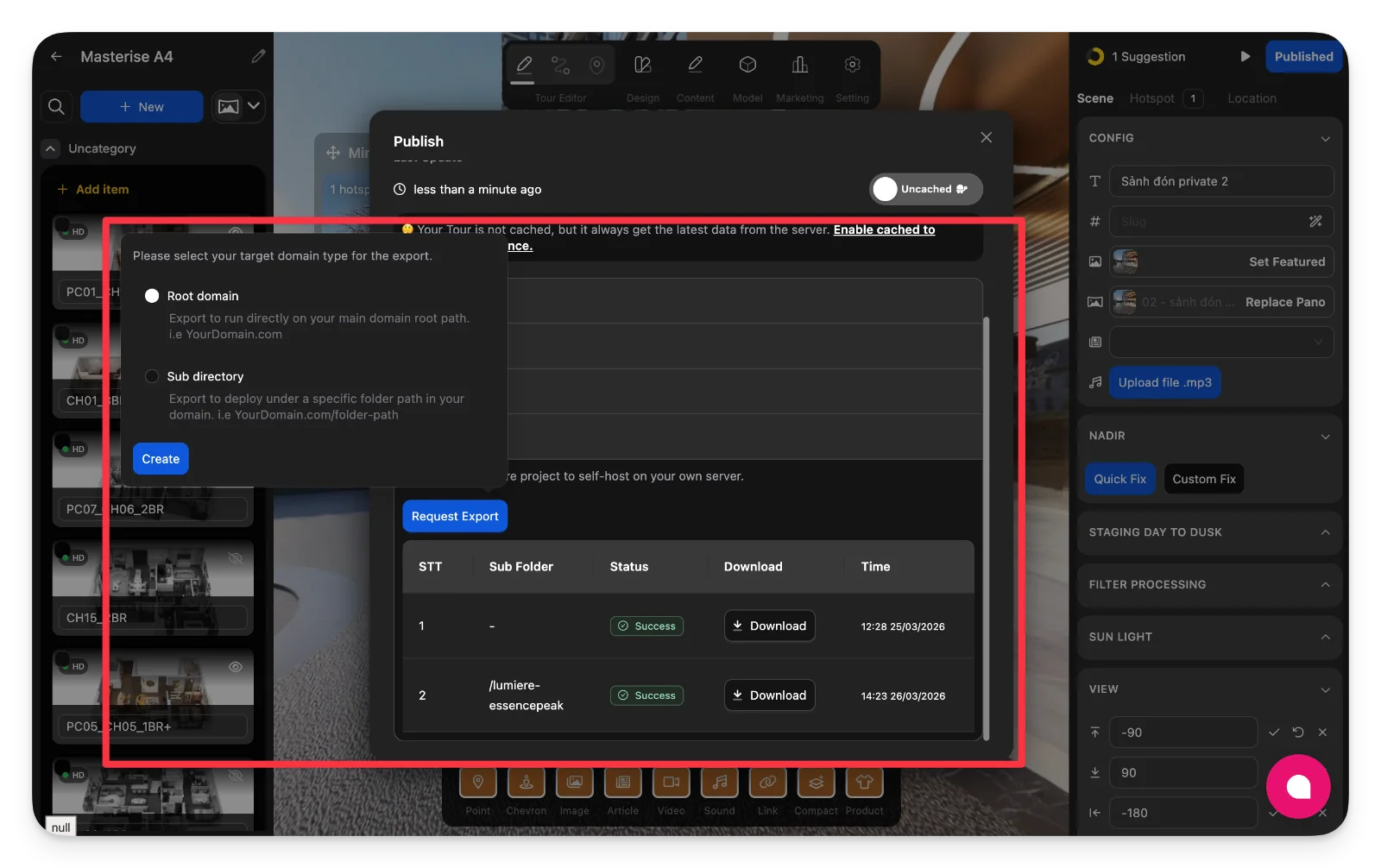
-
Select domain type for deployment
Choose how your tour will be hosted after export.Option
Description
When to Use
Root Domain
Deploy on your main domain (e.g., yourdomain.com)
Full website or standalone tour
Subdirectory
Deploy under a path (e.g., /tour)
Part of an existing website
-
Submit the export request
Click Create to confirm and submit your export configuration. -
Wait for export processing
The system will generate your export package. Processing time depends on project size and assets. -
Download the exported project
Once completed, a new record will appear with a Download button. You will also receive an email notification.
Notes
-
Exported files include all assets required for self-hosting.
-
You can request multiple exports without additional cost after activation.
-
Ensure your hosting environment supports static file deployment.
-
Keep your exported files backed up for future use.