
Create a Public Portfolio in Panoee
Learn how to set up a public Panoee portfolio page, customize its appearance, organize collections, and preview the result.
Create a Public Portfolio in Panoee
Panoee Portfolio lets you create a public profile and project showcase at a URL such as https://portfolio.panoee.com/panoee360. Use it to present selected virtual tour projects, introduce your profile, and share your work with clients or partners.
Steps
-
Complete Your Profile First
Before setting up the portfolio, open Profile and complete your name, nationality, address, and contact links. Panoee uses profile information to support the public portfolio page.
-
Open Portfolio Settings
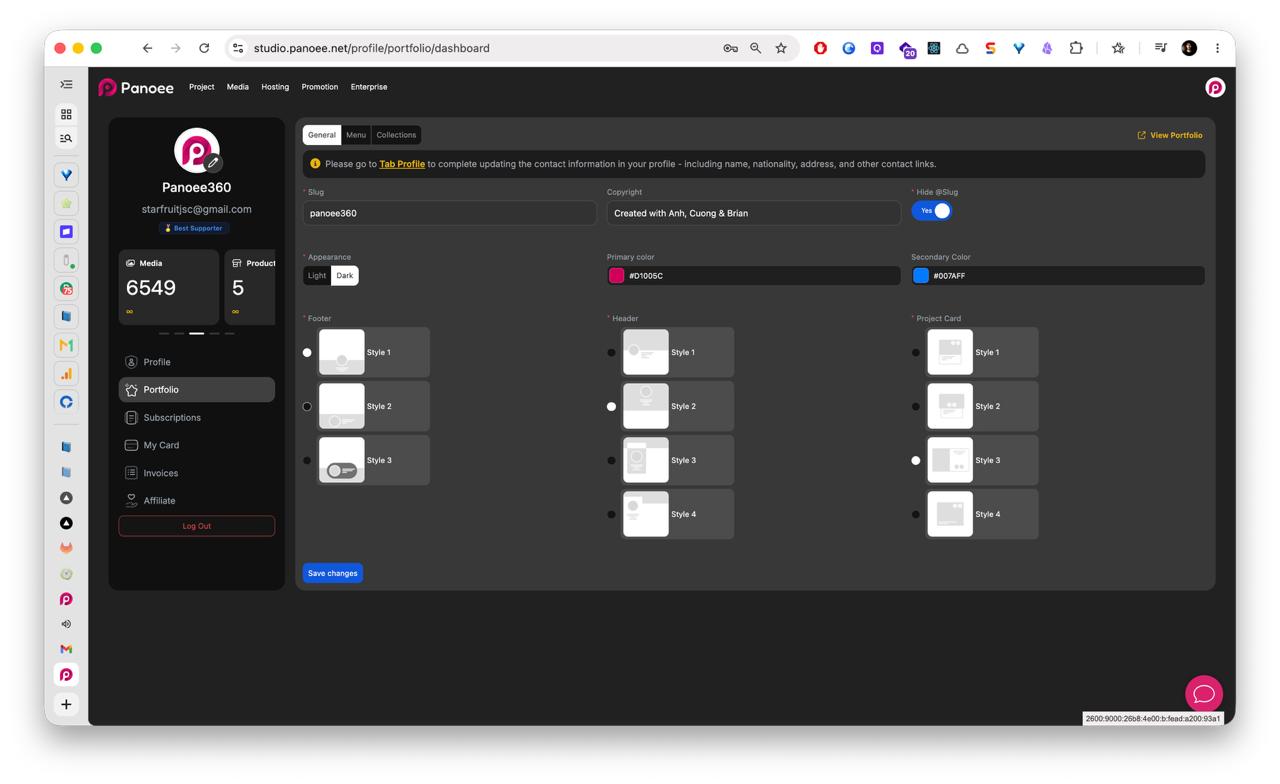
From the account sidebar, select Portfolio. The General tab opens the main setup screen for your public portfolio.
-
Set Your Portfolio Slug
In Slug, enter the username or public path you want to use. Your public portfolio URL follows this format:
https://portfolio.panoee.com/{username} -
Customize Branding and Appearance
Update the copyright text, choose light or dark appearance, set primary and secondary colors, and choose header, footer, and project-card styles.
-
Save General Settings
Click Save changes after updating the General settings.
-
Create or Review Collections
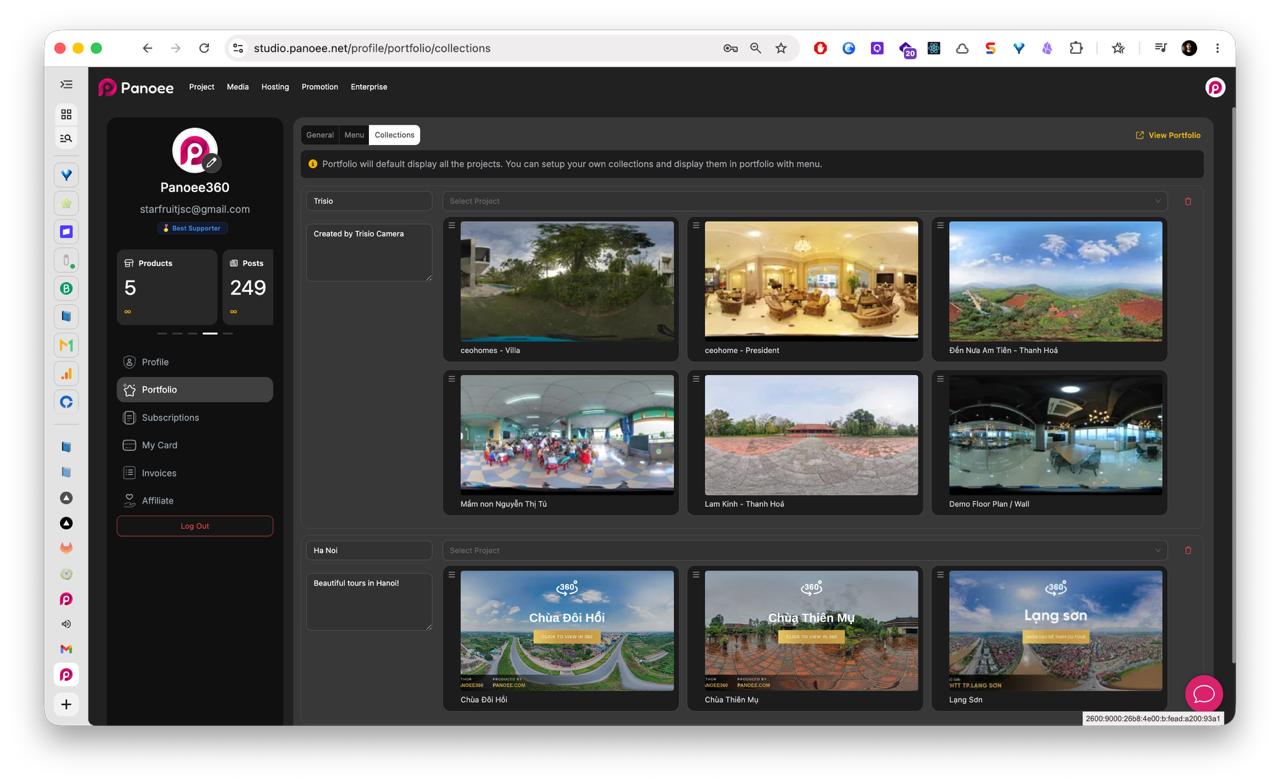
Open the Collections tab to organize selected projects into groups. Collections can help visitors browse work by location, client type, service type, camera type, or showcase theme.
-
Build the Portfolio Menu
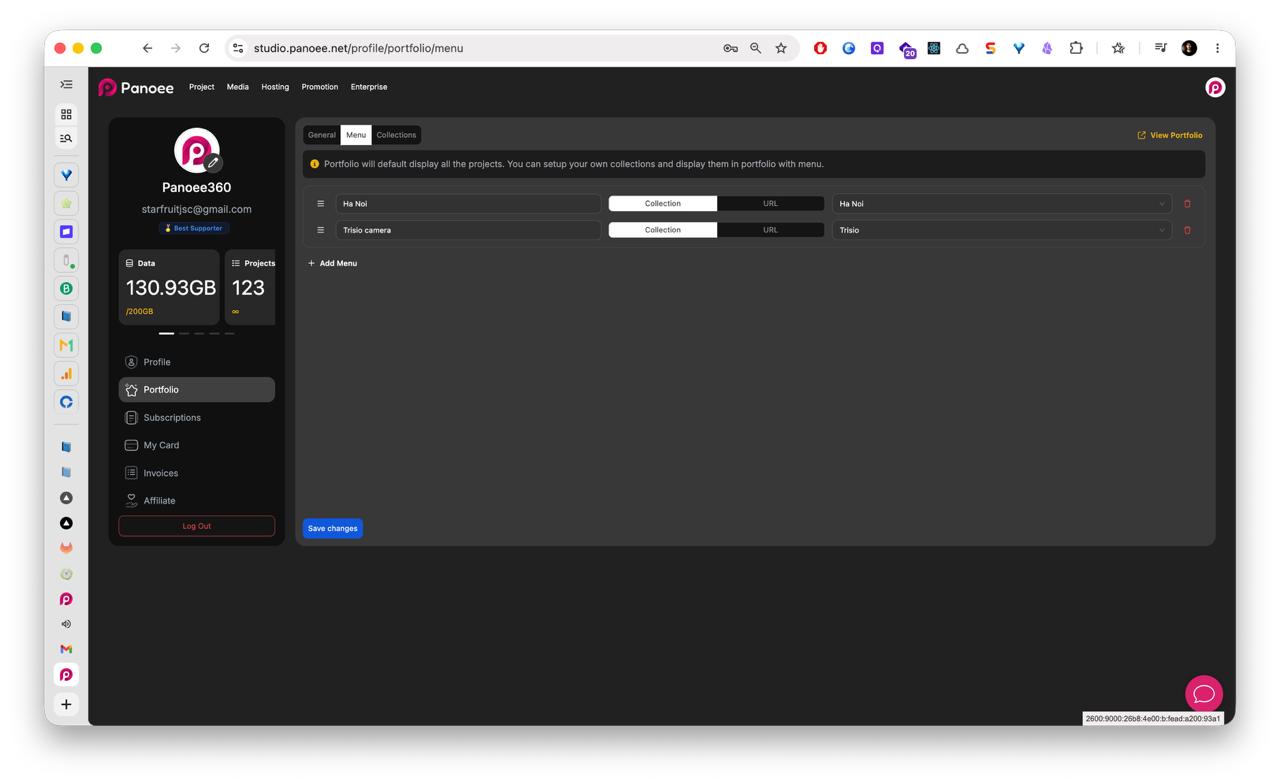
Open the Menu tab. Add menu items that point to collections or URLs, reorder items as needed, and remove any menu items you do not want to show.
-
Save and Preview
Click Save changes, then click View Portfolio to open the public page and check how it appears to visitors.
Notes
- The portfolio can default to displaying all projects, but collections and menu items give you more control over what visitors see first.
- Use a clear slug because it becomes part of the public portfolio URL.
- Keep profile information updated before sharing the portfolio publicly.