
Manage the Affiliate Program in Panoee
Learn how to copy your Panoee affiliate link, use coupon codes, review commissions, and check payout settings.
Manage the Affiliate Program in Panoee
Panoee's Affiliate Program helps you promote Panoee with a tracked referral link and coupon codes. You can share your link, copy active coupon codes, review commission records, and check payout settings from the Affiliate area in your account.
Steps
-
Open the Affiliate Dashboard
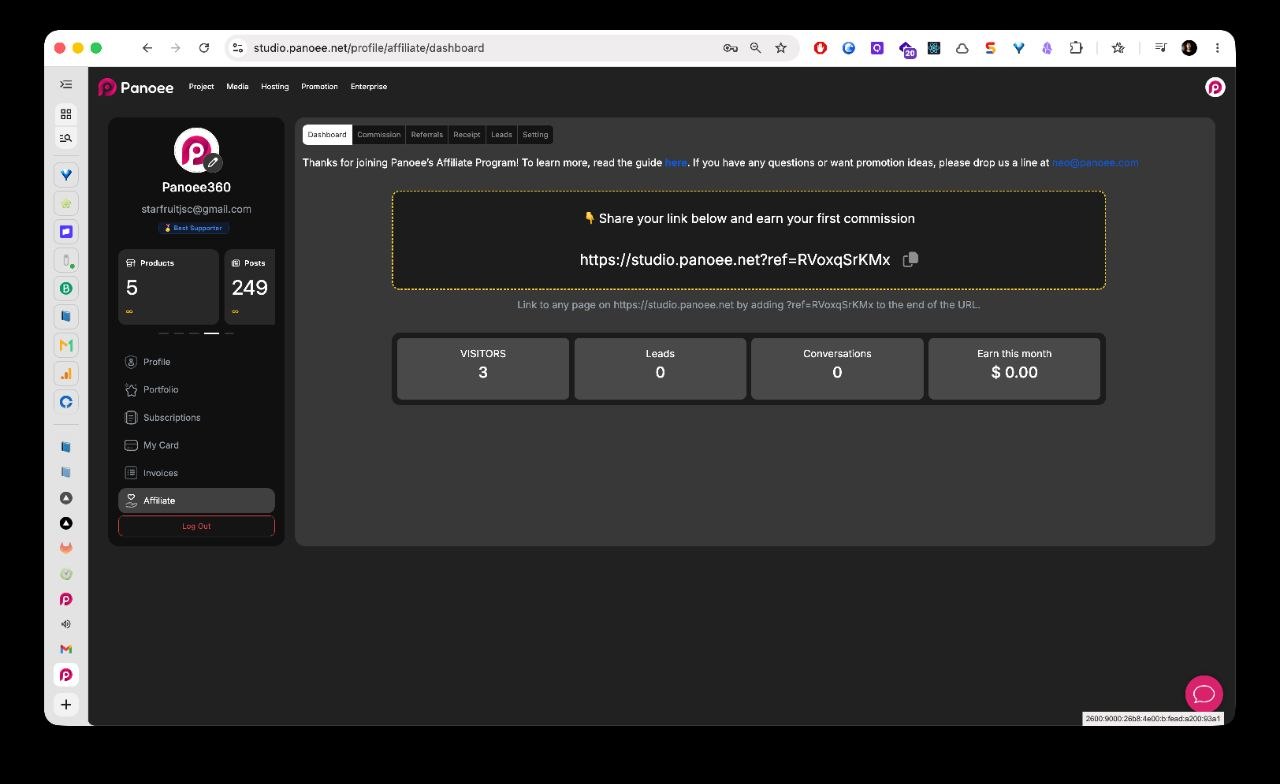
Sign in to Panoee Studio, open your account area, and select Affiliate from the left sidebar. The Dashboard tab shows your affiliate welcome message, referral link, and performance metrics.
-
Copy Your Referral Link
In the Dashboard tab, copy the referral link shown in the link field. You can share this full URL directly, or add your referral parameter to another Panoee Studio URL.
Example format:
https://studio.panoee.net?ref=YOUR_REF_CODE -
Review Affiliate Performance
Use the dashboard metric cards to check visitors, leads, conversations, and earnings for the current month. These numbers help you understand whether your shared links are getting traffic and generating results.
-
Check Commission Records
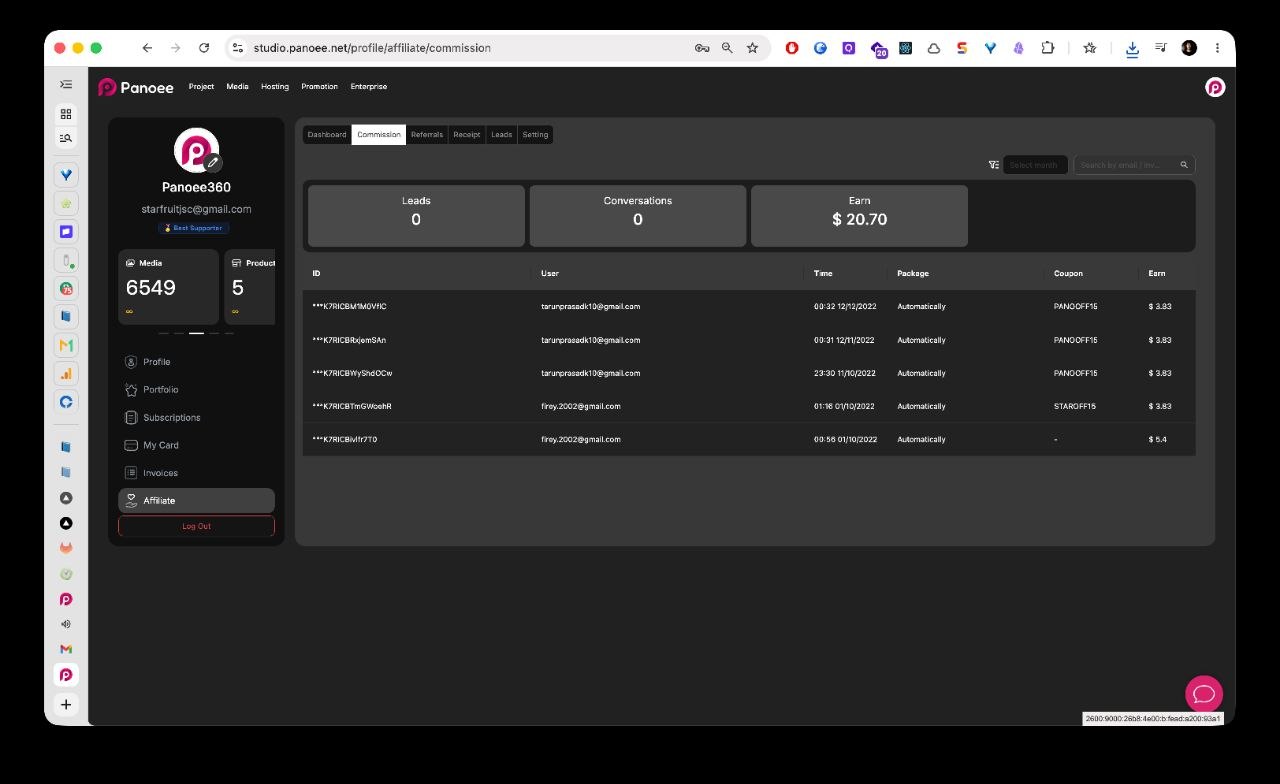
Open the Commission tab to review earned commissions. Use Select month to filter by month, or use the search field to find records by email or another available identifier.
-
Read the Commission Table
Each commission row shows the referred user, time, package, coupon code, and earned amount. Use this table when you need to confirm which coupon or user generated a commission.
-
Copy an Affiliate Coupon Code
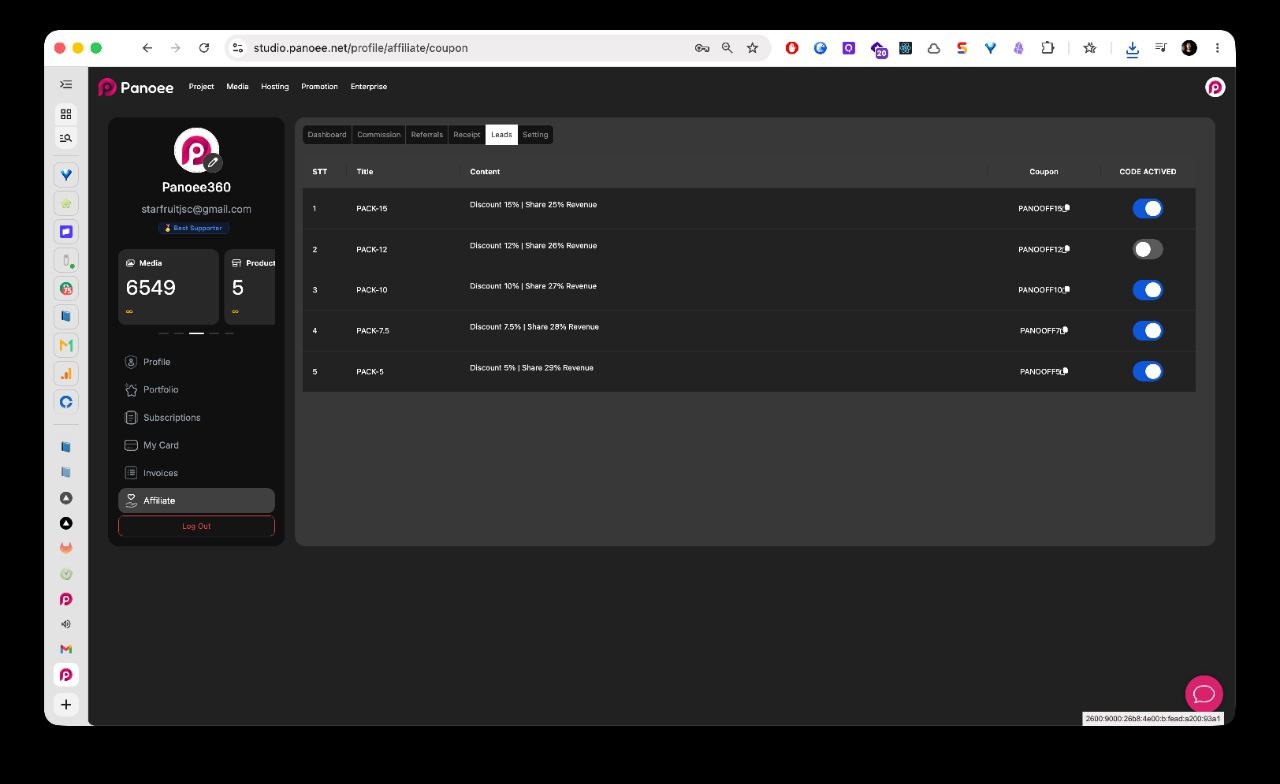
Open the coupon/code screen from the affiliate tab area. Review the available packages, then click the copy icon next to the coupon code you want to share.
-
Activate or Deactivate Coupon Codes
Use the toggle in the CODE ACTIVED column to control whether a coupon code is active. Each package shows the customer discount and your revenue-share percentage, so choose the code that matches your campaign.
-
Check Payout Settings
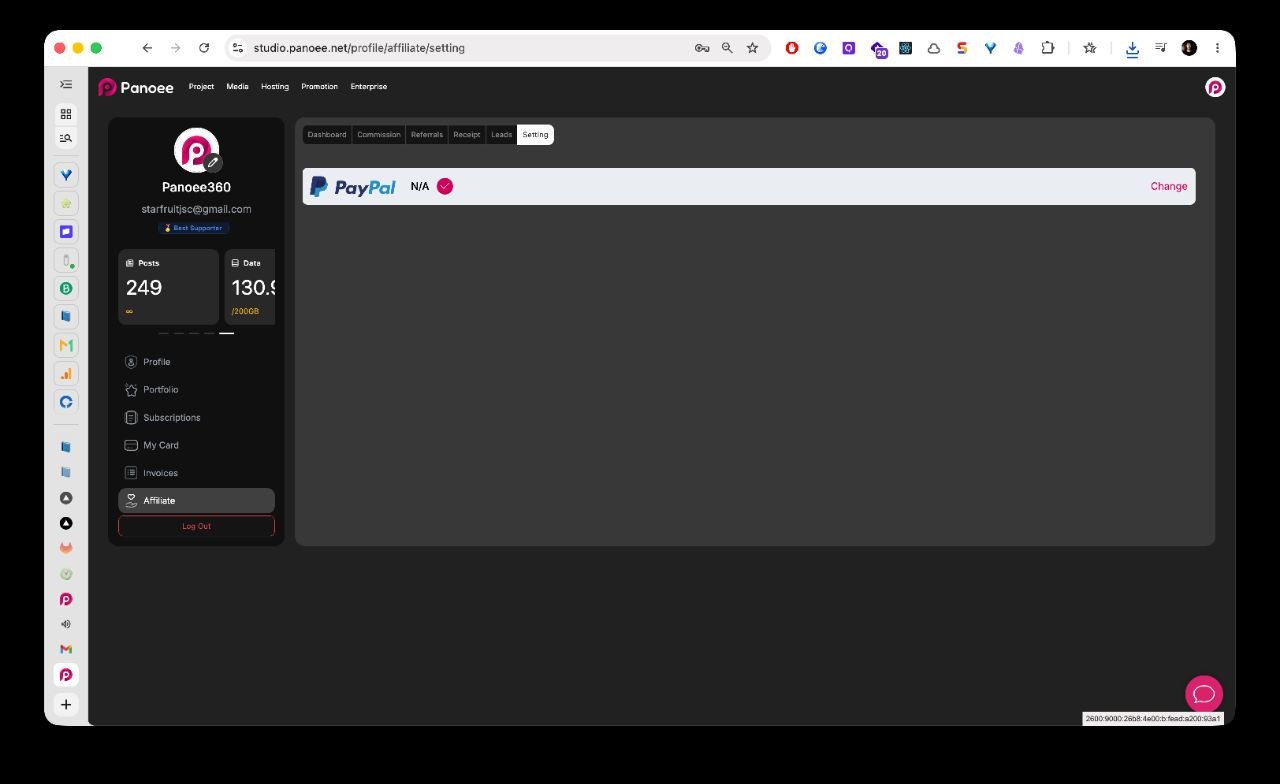
Open the Setting tab to review the visible payout method. In the current interface, PayPal is shown as the payout method, with a Change action for updating payout information.
Notes
- The referral parameter can be added to any Panoee Studio URL shown in the dashboard helper text.
- Coupon packages may use different discount and revenue-share percentages.
- Configure payout information before expecting affiliate payouts.
- Some affiliate tabs, such as Referrals, Receipt, and Leads, may show additional tracking or payout records depending on your account activity.