
Embed Facebook Live Chat or Tawk.to in a Panoee Tour
Learn how to add Facebook Live Chat or Tawk.to scripts to a Panoee virtual tour so visitors can contact your team while viewing the tour.
Embed Facebook Live Chat or Tawk.to in a Panoee Tour
Live chat helps visitors contact your sales or support team while they are viewing a virtual tour. In Panoee Studio, you can add supported chat embed code from the marketing settings and update the tour without building a separate web page.
Before You Start
- Open the tour project in Panoee Studio.
- Prepare the chat embed code from Facebook Live Chat or Tawk.to.
- Confirm that the chat account is configured and allowed to run on the tour domain.
Steps
-
Open the Tour Editor
Open your project in Panoee Studio and enter the tour editor.
-
Open Script Chats
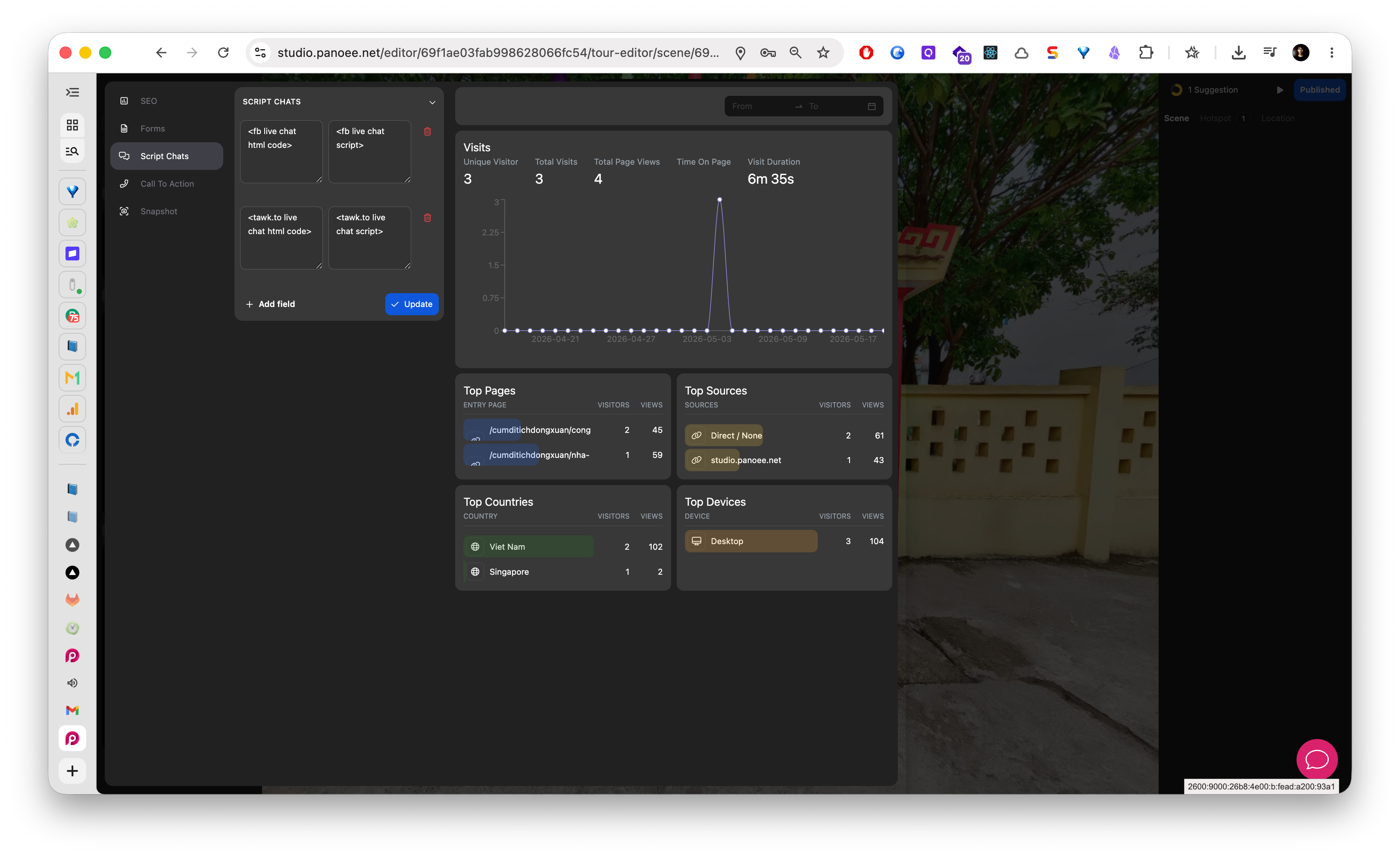
In the marketing sidebar, select Script Chats. Panoee shows fields for supported live chat providers.
-
Choose the Chat Provider
Decide whether you want to add Facebook Live Chat, Tawk.to, or another supported chat script field shown in the editor.
-
Paste the HTML Code
Paste the provider HTML snippet into the matching HTML code field.
-
Paste the Script Code
Paste the provider script snippet into the matching script field. Keep the provider code unchanged unless your chat provider specifically instructs you to edit it.
-
Add More Script Fields When Needed
Use Add Script if you need another script field for an additional supported embed.
-
Save the Chat Script
Click Update to save the script chat settings.
-
Check the Published Tour
Open the published tour and confirm the chat widget appears and can receive a test message.
Provider Fields
| Provider | Common Fields |
|---|---|
| Facebook Live Chat | HTML code and script code |
| Tawk.to | HTML code and script code |
Notes
- Only paste scripts from providers you trust.
- Some chat widgets require domain allowlisting in the provider dashboard before they appear on a public page.
- If the widget does not appear, check the provider setup, script code, and published tour domain.