
Set Up a Panoee Hosting Project
Learn how to create a Panoee Hosting project and choose either Panoee Cloud or your own AWS S3 bucket for static virtual tour hosting.
Set Up a Panoee Hosting Project
Panoee Hosting lets you publish exported static tour files through a public link. You can use Panoee Cloud for the simplest setup, or connect your own AWS S3 bucket when you want to manage storage and hosting from your AWS account.
Before You Start
- Prepare a static tour or static website export from Panoee, 3DVista, Pano2VR, or another tool.
- Make sure the final upload package includes an
index.htmlfile. - If you use AWS S3, create and configure the bucket before connecting it in Panoee. Follow the AWS bucket setup reference here: Panoee S3 Hosting Service.
- Self-hosted storage supports AWS S3 only.
Steps
-
Open Hosting
Sign in to Panoee Studio and open Hosting from the top navigation. The Hosting page shows your hosting projects in the sidebar and the selected project files in the main area.
-
Create a Hosting Project
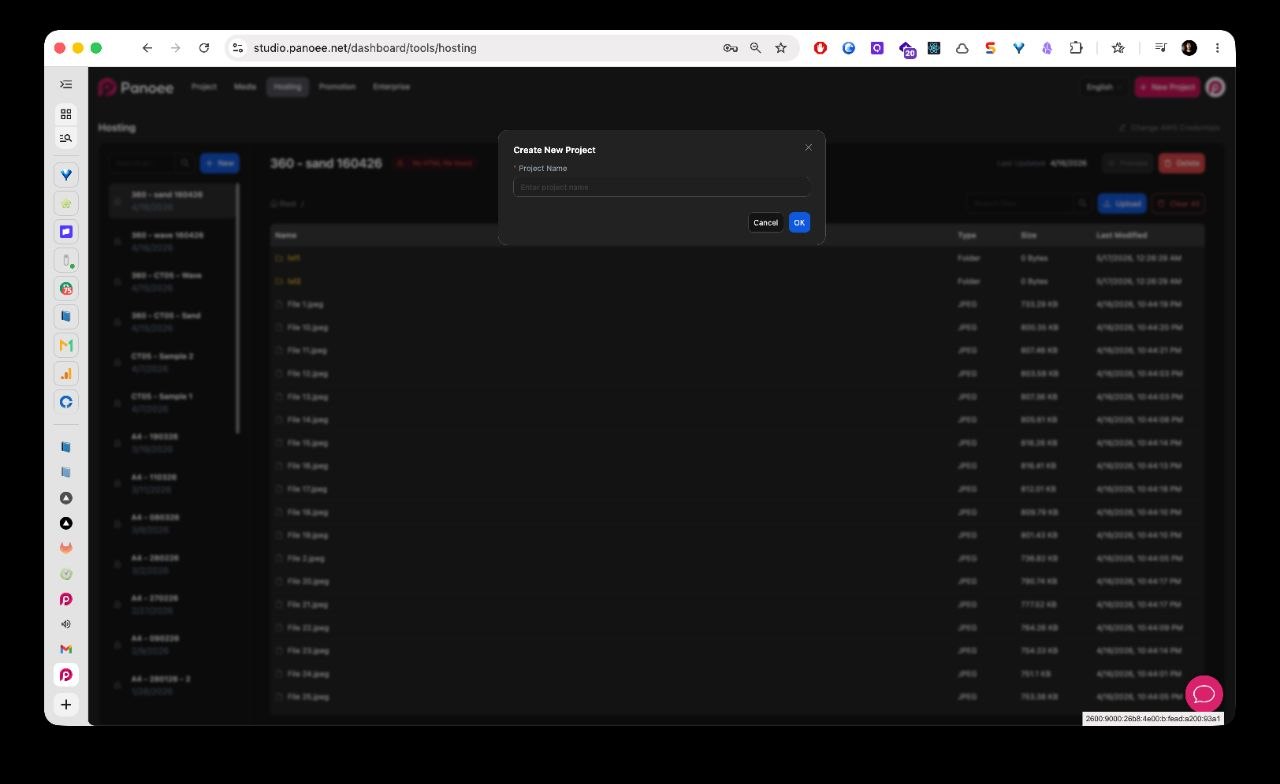
Click + New in the hosting project sidebar. Enter a clear project name, then click Submit.
-
Select a Hosting Method
After creating the project, choose the storage method for the hosting project.
Option Use When Panoee Cloud You want the fastest setup and want Panoee to manage the storage. Self-hosted S3 You already have an AWS S3 bucket and want the public files hosted from your own bucket. -
Use Panoee Cloud
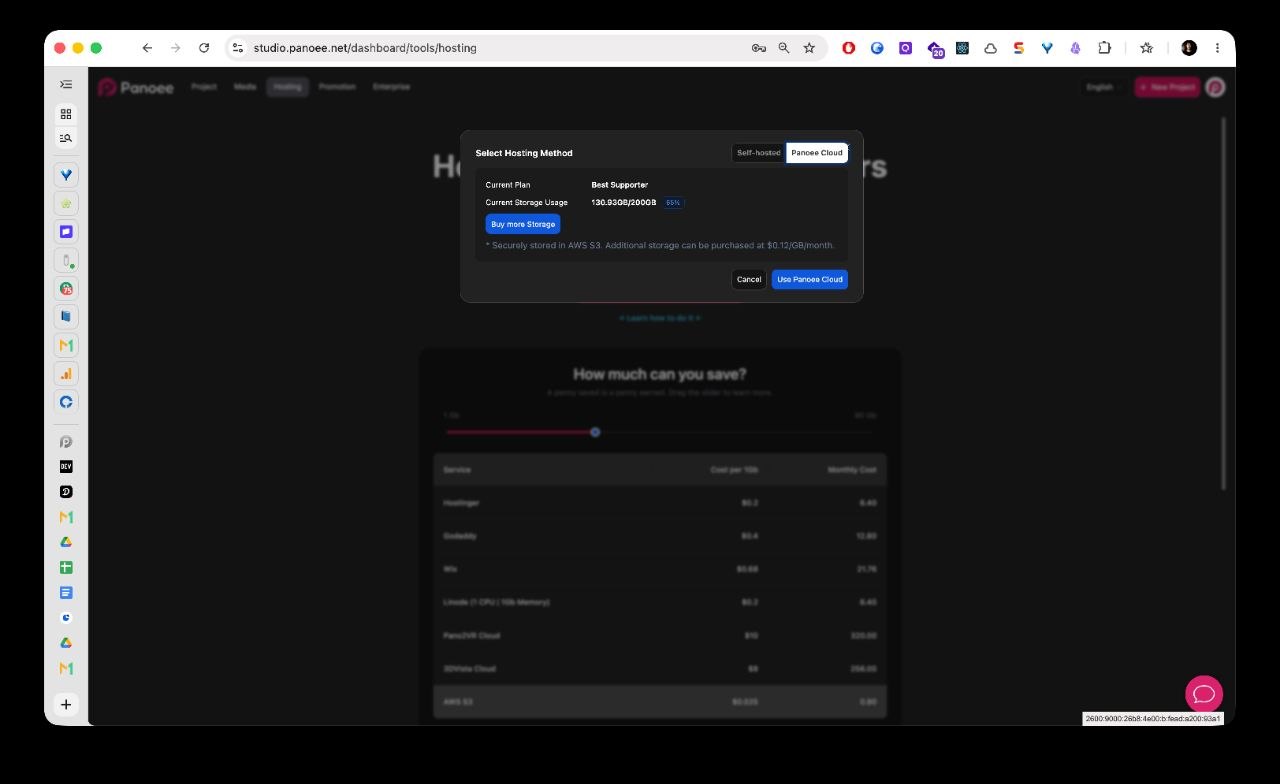
Select Panoee Cloud when you do not want to enter AWS credentials. Review your current plan and storage usage, then continue with the upload workflow.
-
Use Your Own AWS S3 Bucket
Select Self-hosted S3 when you want to host the files from your own AWS S3 bucket. Enter the required S3 details, then save the setup.
Field Description Region The AWS region where your bucket is located. AWS Key The access key ID for the AWS user that can manage the bucket. Secret Key The matching secret access key. Bucket Name The existing AWS S3 bucket name. The bucket must already be created and configured in AWS. 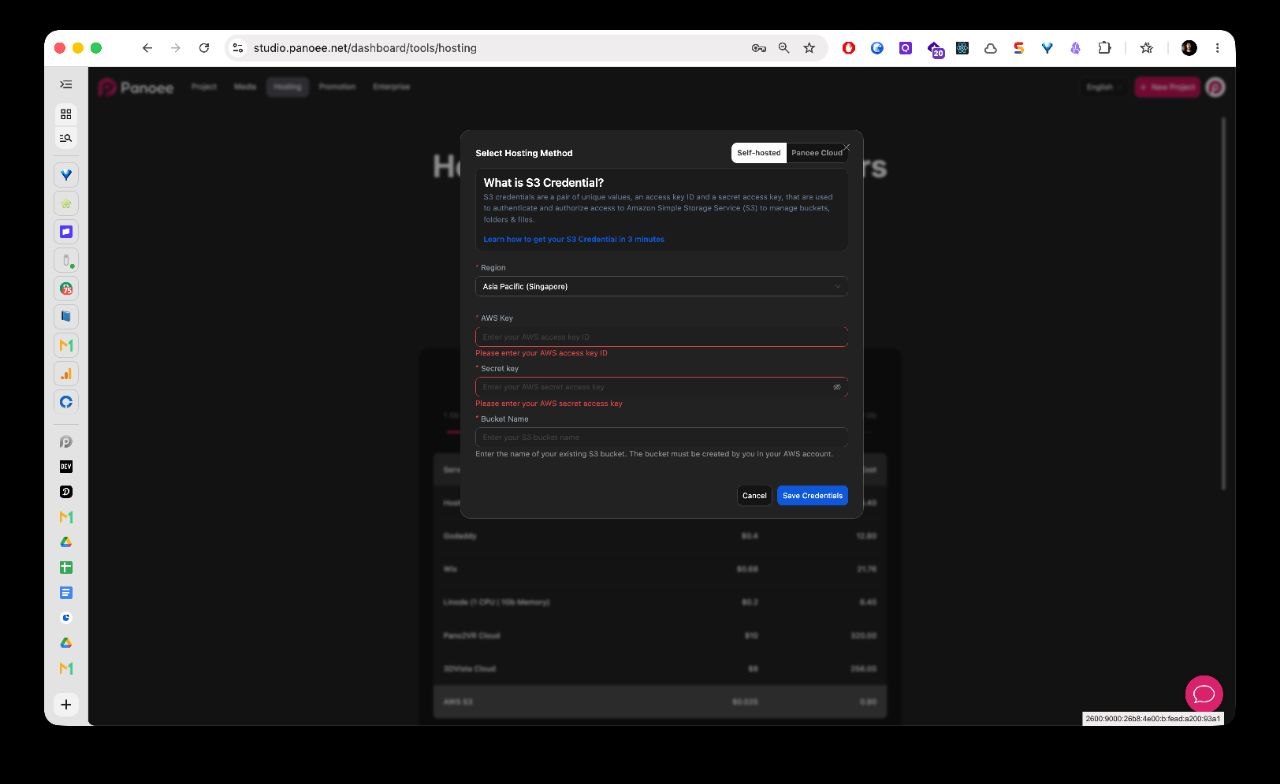
-
Confirm the Project Is Ready for Upload
After the storage method is selected, open the project file manager. You can now upload the static tour package into this hosting project.
Notes
- Panoee Cloud and Self-hosted S3 are storage choices inside the same Hosting setup flow.
- For AWS S3, configure static website hosting, bucket permissions, CORS, and IAM credentials before connecting the bucket in Panoee.
- Use one hosting project for one static site or virtual tour package.
- Keep AWS credentials private and rotate them if they are shared with the wrong person.