
Upload Static Tour Files to Panoee Hosting
Learn how to upload exported static tour files to Panoee Hosting and fix the No HTML file found status.
Upload Static Tour Files to Panoee Hosting
After you create a Panoee Hosting project, upload the exported static files for your virtual tour or static site. The uploaded package must include index.html so Panoee can mark the project as ready and generate a public hosting URL.
Before You Start
- Create a Hosting project in Panoee.
- Prepare the exported static package on your computer.
- Confirm that the package includes
index.html. - If the export is inside a parent folder, know whether you want to upload the parent folder or only its contents.
Steps
-
Open the Hosting Project
Go to Hosting in Panoee Studio and select the project where you want to upload the static tour files.
-
Click Upload
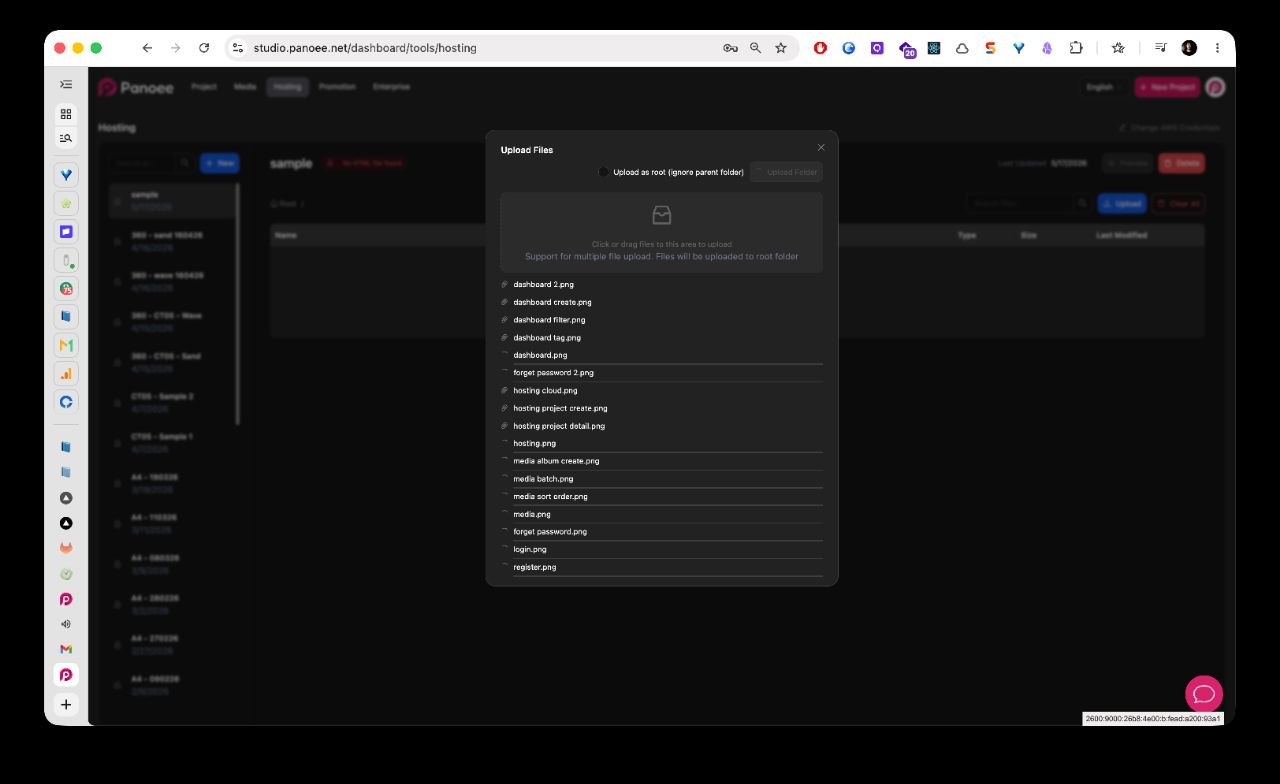
In the file manager, click Upload. Panoee opens the upload modal where you can select files or folders from your computer.
-
Select the Static Export Files
Upload the complete export package, including
index.html, asset folders, scripts, styles, images, JSON files, and any other files required by the tour. -
Use Upload as Root When Needed
Enable Upload as root (ignore parent folder) when your export is wrapped inside one parent folder and you want the contents placed directly at the hosting root.
Example:
Local Export Structure Recommended Upload my-tour/index.htmlUse Upload as root if you select the my-tourfolder.index.htmland asset folders selected directlyUpload normally. -
Submit the Upload
Click Submit and wait for the upload to finish. The files appear in the project file manager after they are uploaded.
-
Check the Project Status
If Panoee finds
index.htmlat the correct level, the project can become ready for preview and public sharing. -
Fix No HTML File Found
If the project shows No HTML file found, the required
index.htmlis missing from the expected location. Upload the correct folder again, or use Upload as root soindex.htmlis placed at the hosting root.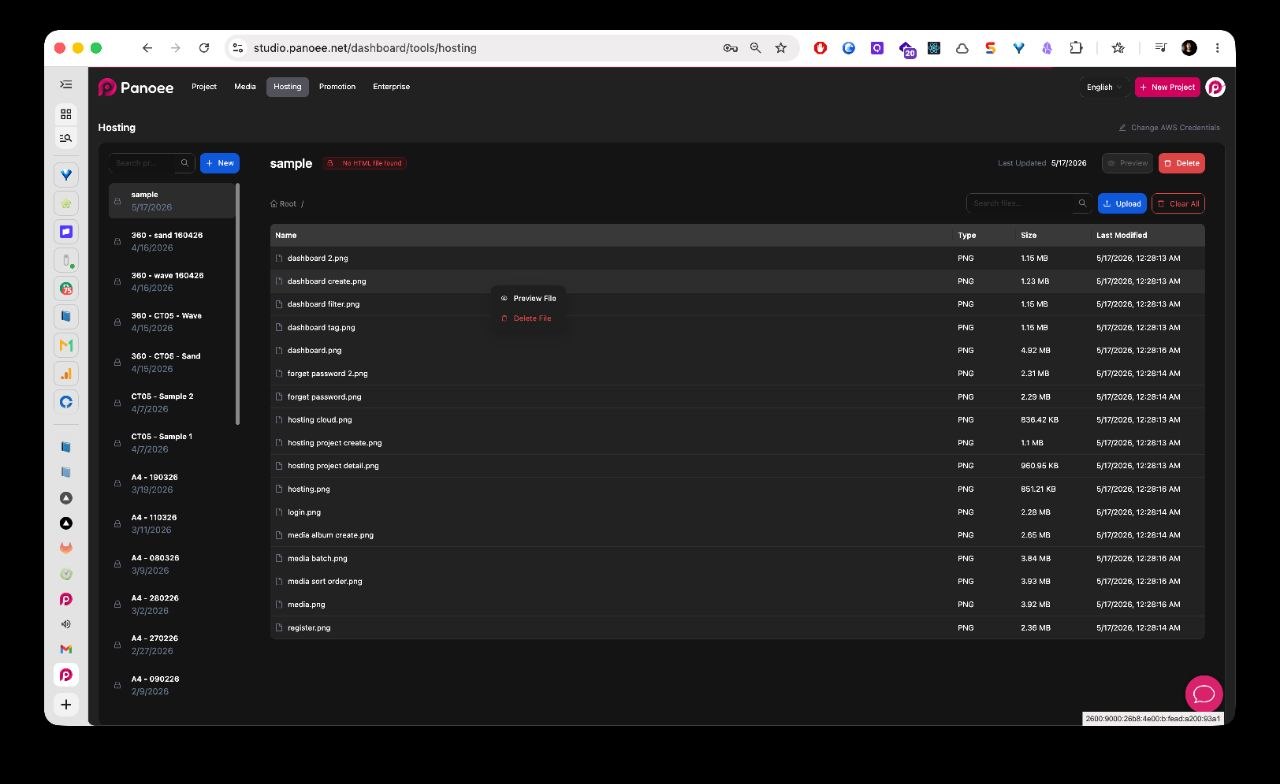
Notes
- The required entry file is
index.html. - Keep the relative folder structure from the export. Static tours often depend on asset paths that must not be renamed manually.
- If you update an existing hosted tour, upload the replacement files carefully so the final file structure still matches the export.
- Large static exports can contain many small files. Wait for upload completion before previewing the public result.